
Back to knowledgebase

LMS – Access Control in Free Passage Mode

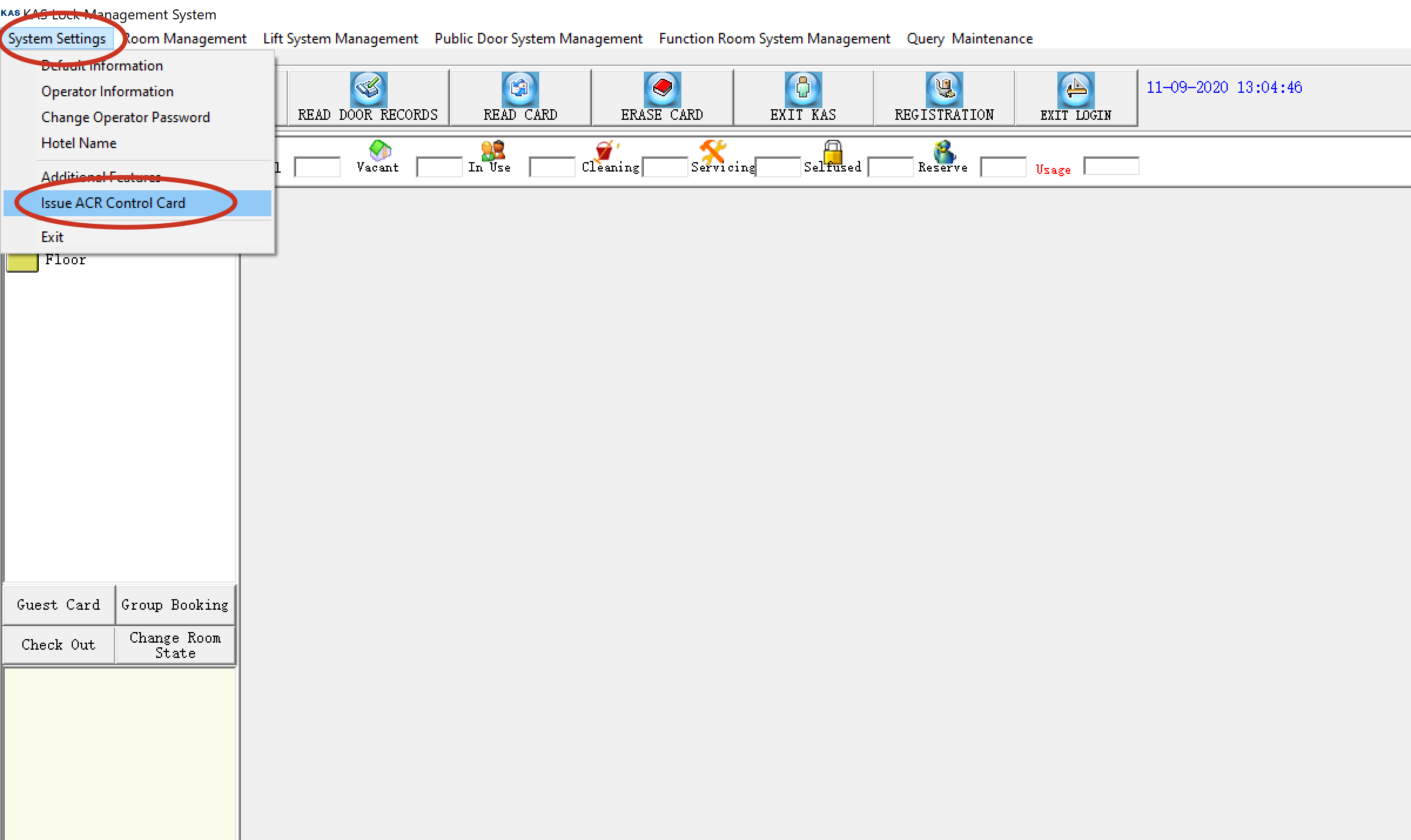
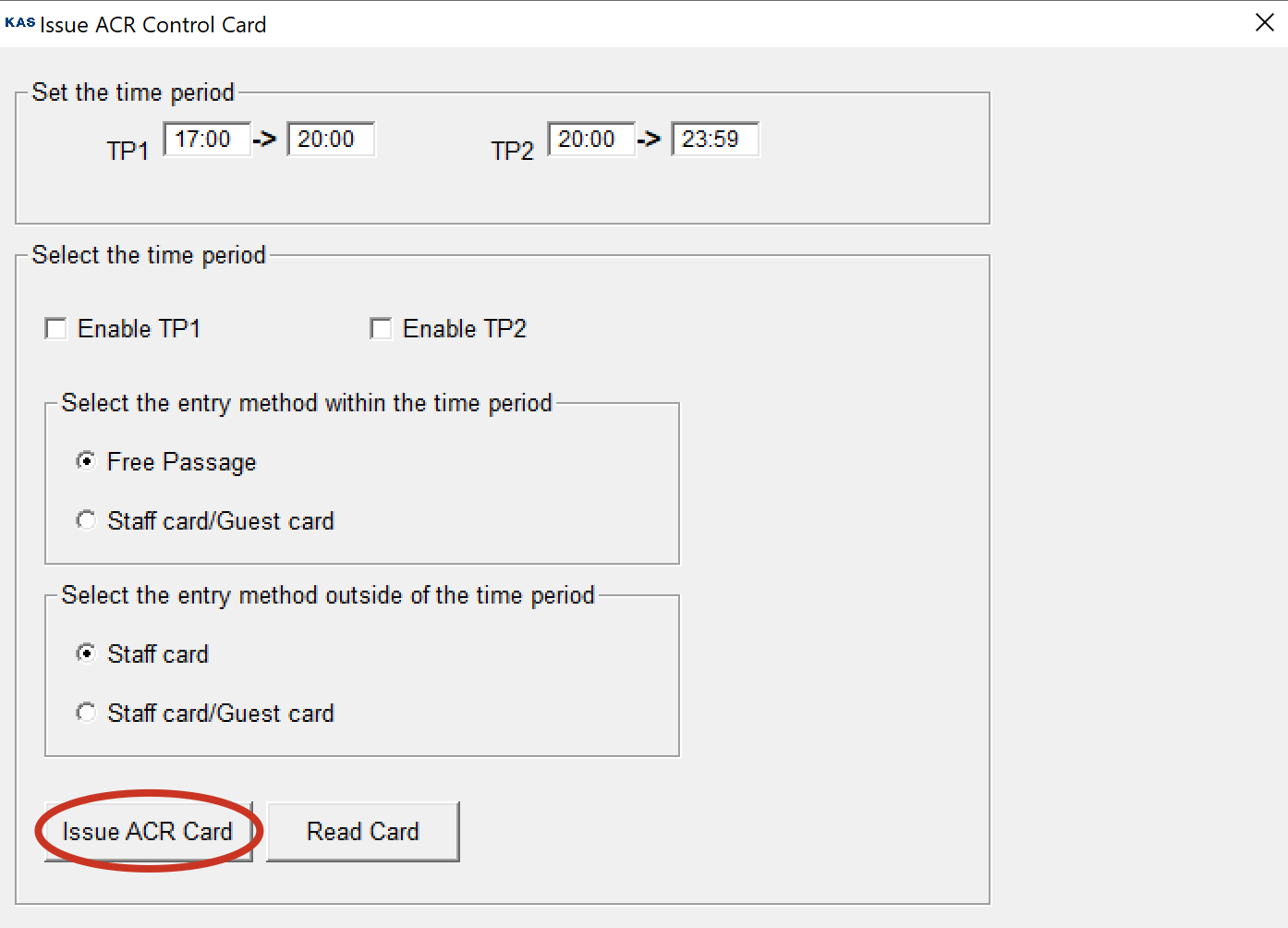
Step # 1: Issue ACR Control Card by clicking on system settings >> Issue ACR Control Card Step # 2: Now set the parameters according to your requirement and click issue ACR card. Step # 3: Now Tap the issued ACR card on the access control and your ...

Step # 1: Issue ACR Control Card by clicking on system settings >> Issue ACR Control Card
Step # 2: Now set the parameters according to your requirement and click issue ACR card.
Step # 3: Now Tap the issued ACR card on the access control and your settings should automatically be set into the access control.

Related articles

1 Jul 20191 min read

LMS Software – Installation Setup

Please Click Here to download and install KAS LMS software If you are Reinstalling the software please backup your database first  After Installing the LMS software, copy the KAS-LMS (patch) file from the above link and paste into the lock software's ...