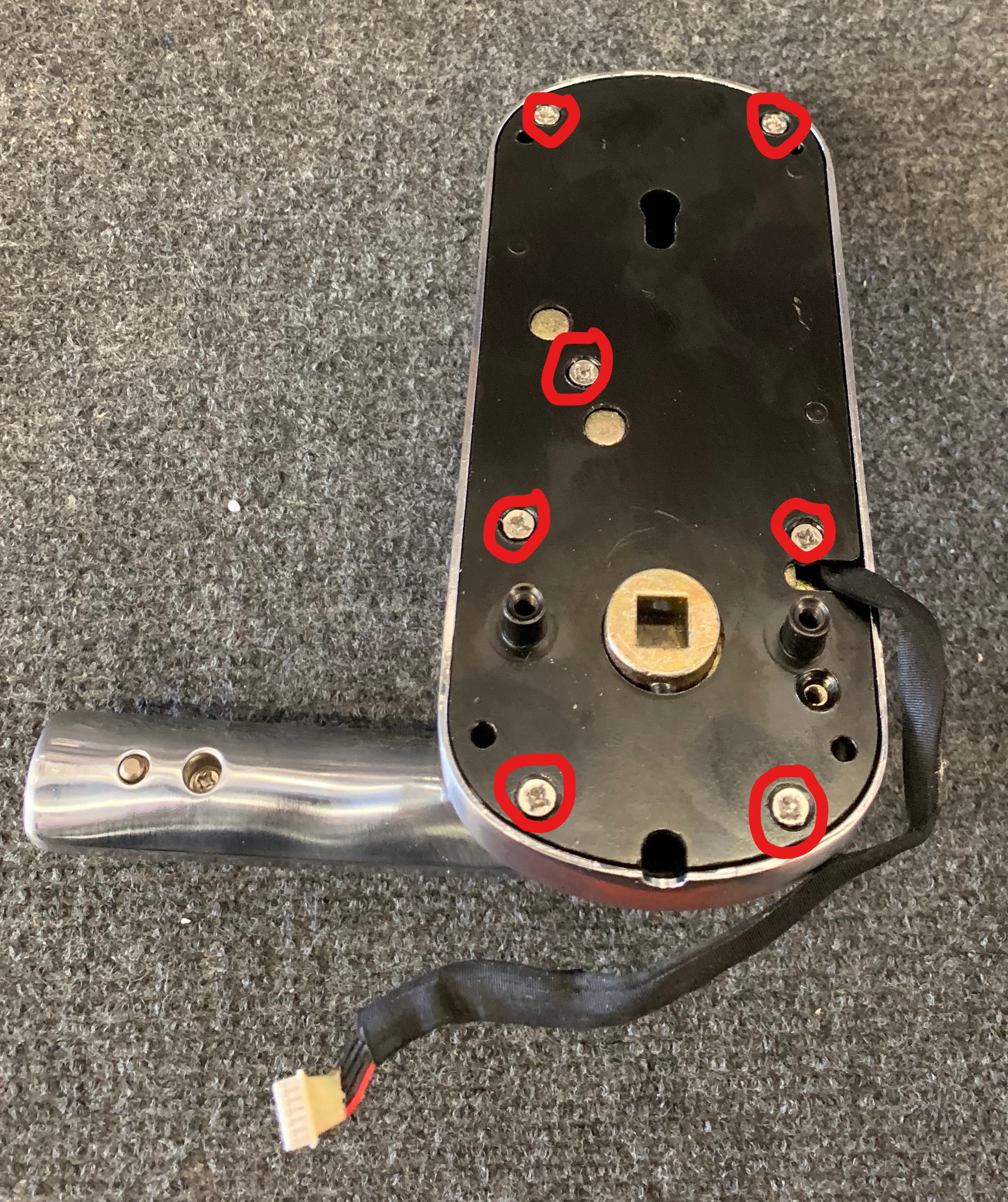
Step # 1:
unscrew all the screws as shown
Step # 2:
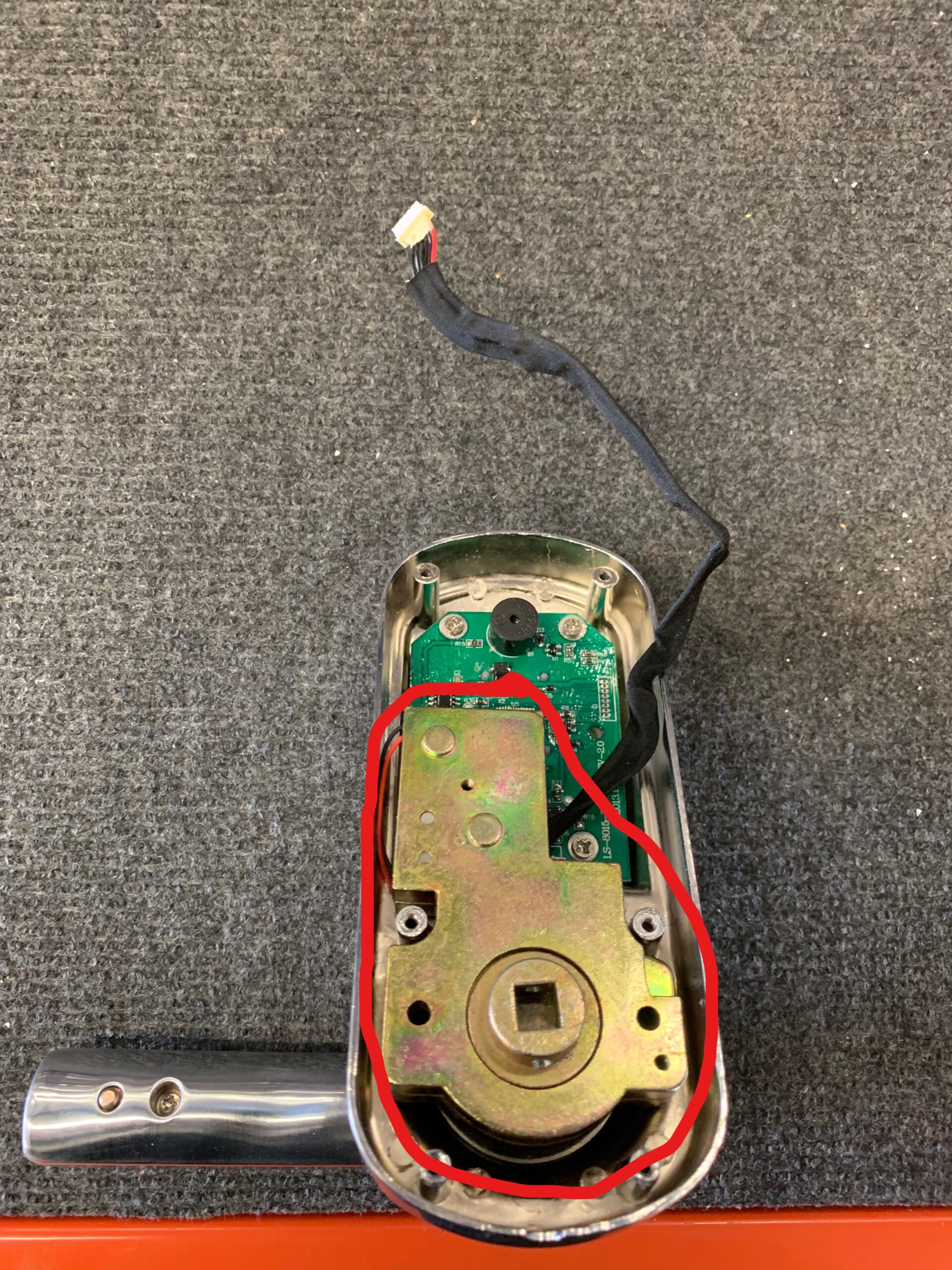
Take the old motor off as shown
Step # 3:
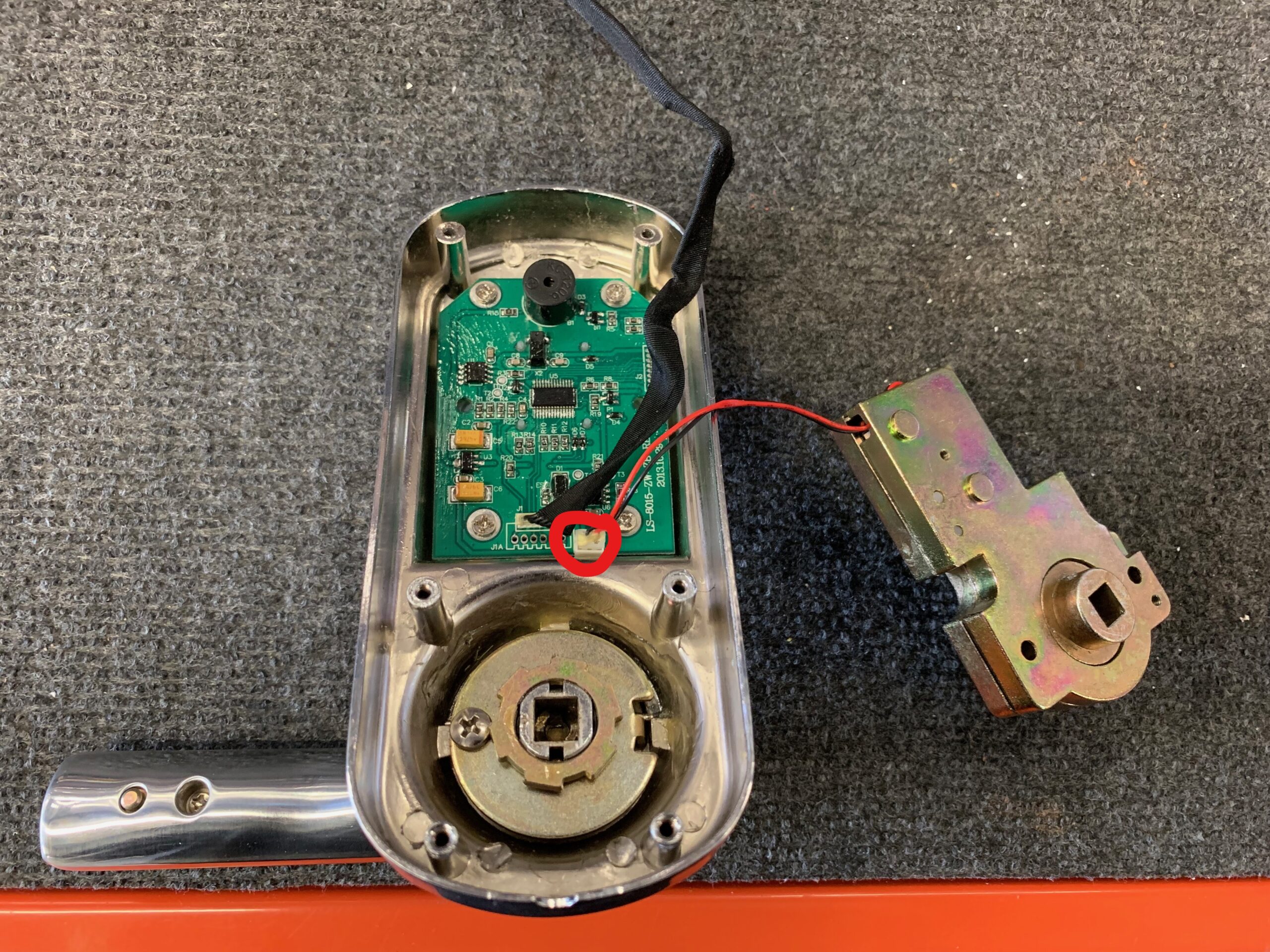
Plug in the new motor as shown
Step # 4:
Finally put all the screws back and tighten them.
 Back to knowledgebase
Step # 1: unscrew all the screws as shown Step # 2: Take the old motor off as shown Step # 3: Plug in the new motor as shown Step # 4: Finally put all the screws back and tighten them.
These are instructions for a local database, not an SQL-based database. Instructions Close the LMS software. Open any folder and navigate to the top address bar. Type "%localappdata%" in it (see image). Navigate to "Virtual StoreProgram FilesKAS". ...
(PDA) MANUAL The following pictures are the basic configurations of our handset: Data line------------------------------------------------1 piece Touch pen----------------------------------------------1 piece ...