- On the main menu, Select Issue
- From the drop-down, select Inhibit card
- Now chose the parameters of the card
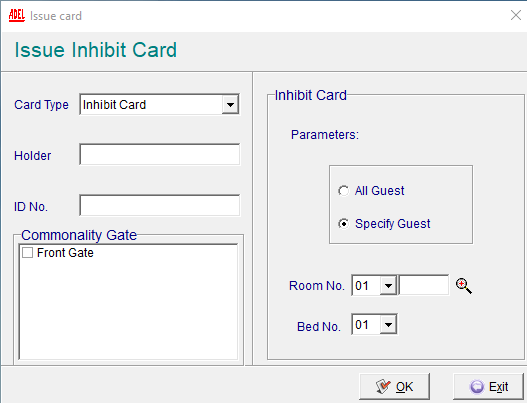

- After the cards are created, you will need to tap this on the room door.
- The guest card will need to be issued again to work on the lock
 Back to knowledgebase
On the main menu, Select Issue From the drop-down, select Inhibit card Now chose the parameters of the card After the cards are created, you will need to tap this on the room door. The guest card will need to be issued again to work on the lock