
Back to knowledgebase

LMS – Access Control in Free Passage Mode

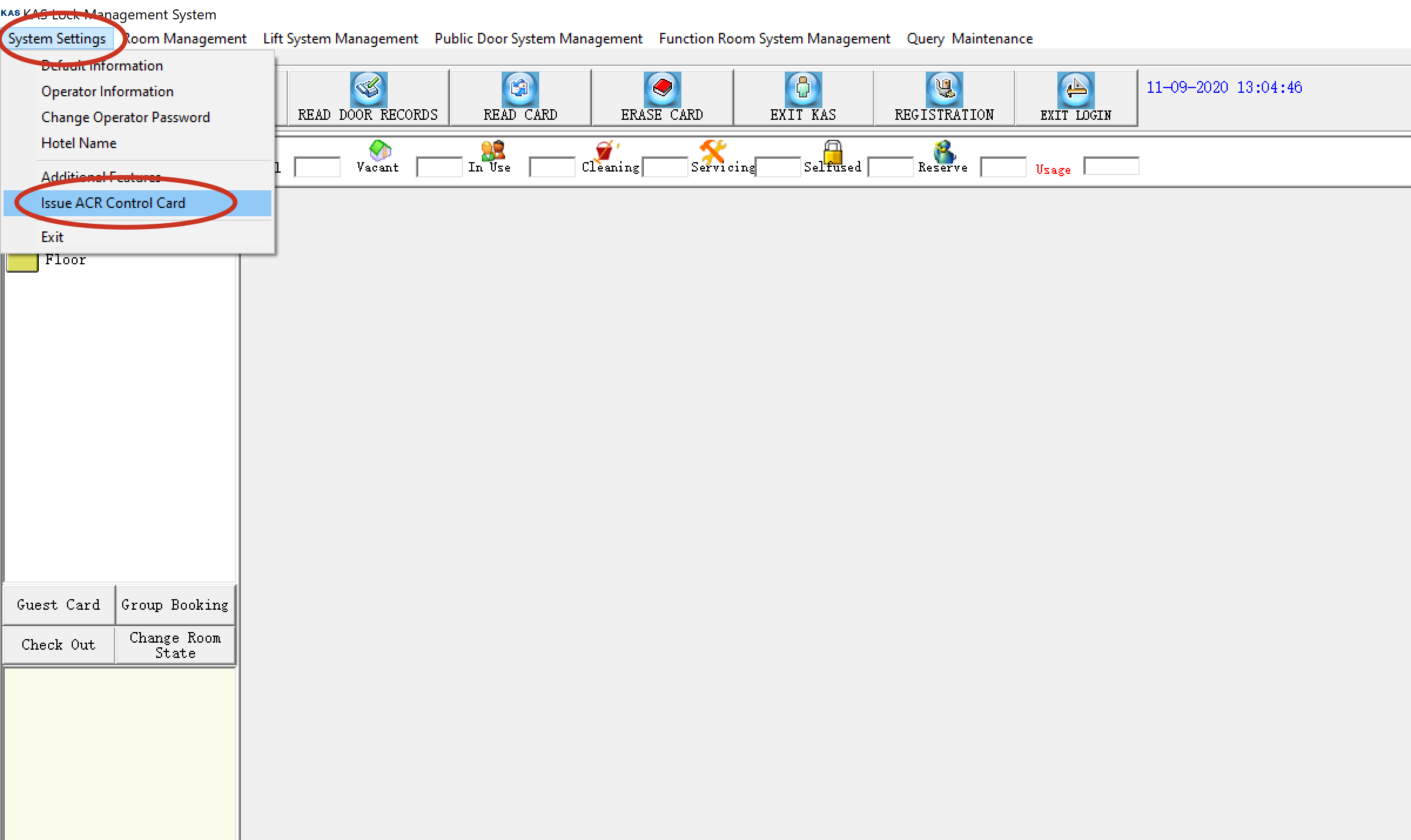
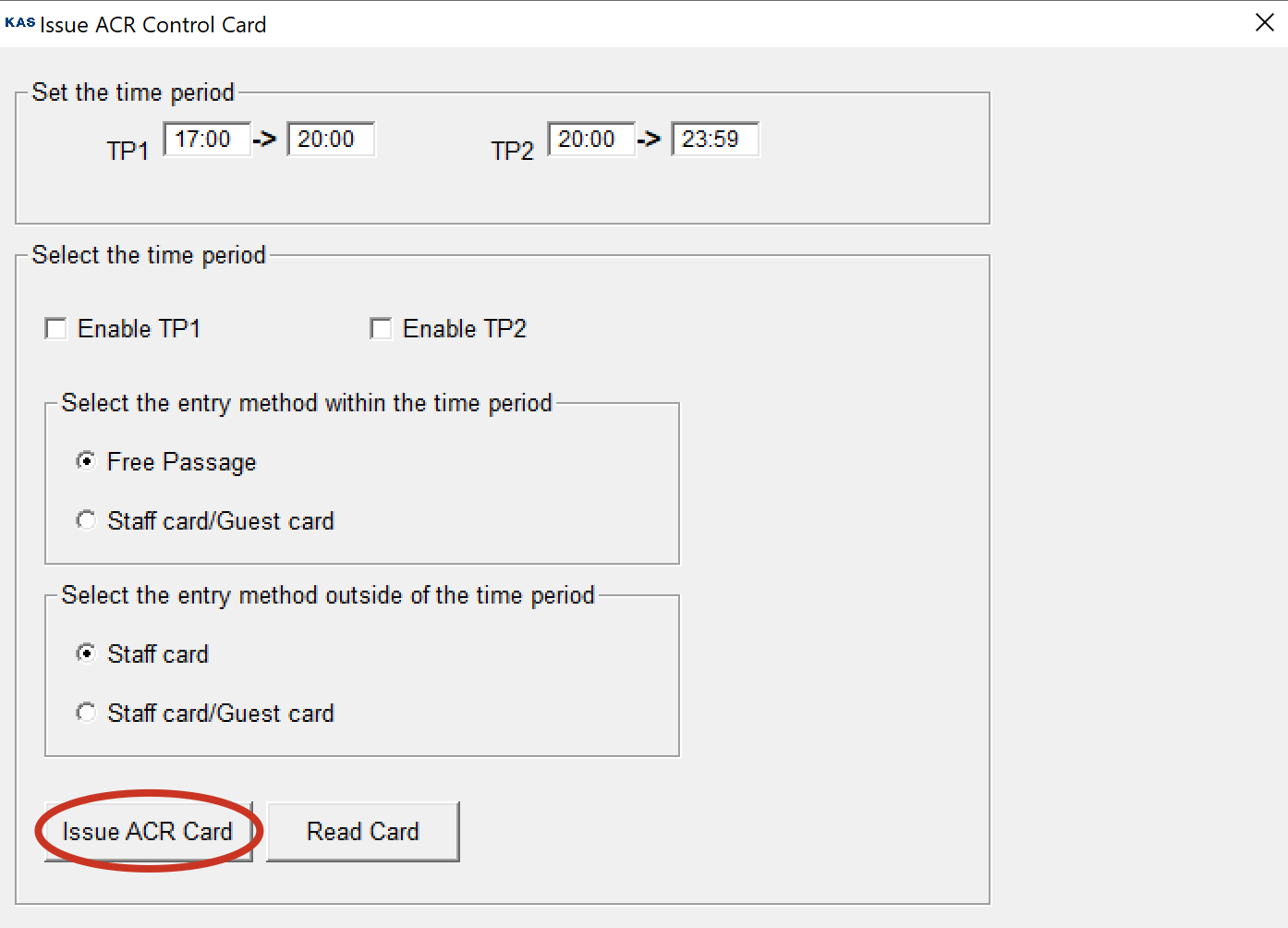
Step # 1: Issue ACR Control Card by clicking on system settings >> Issue ACR Control Card Step # 2: Now set the parameters according to your requirement and click issue ACR card. Step # 3: Now Tap the issued ACR card on the access control and your ...

Popular searches

Browse by area

Browse by product

Popular intents

Step # 1: Issue ACR Control Card by clicking on system settings >> Issue ACR Control Card
Step # 2: Now set the parameters according to your requirement and click issue ACR card.
Step # 3: Now Tap the issued ACR card on the access control and your settings should automatically be set into the access control.

Related articles

29 Jun 20261 min read

LMS Software – How To Upload Data To Your Mobile Programmer

      1)       Plug Programmer into the computer using the USB-encoder’s cable.       2)      Open LMS Software       3)      Select Upload Data (top left of page)       4)      Select Download Lock Data       5)      Wait for confirmation message ...

1 Jul 20191 min read

LMS Software – Installation Setup

Please Click Here to download and install KAS LMS software If you are Reinstalling the software please backup your database first  After Installing the LMS software, copy the KAS-LMS (patch) file from the above link and paste into the lock software's ...