
Back to knowledgebase

Lock-S Software – Lockkeeper App Management Account Password

Note: Remote functionality with Lock-S has been deprecated. While this may still work, we cannot guarantee it. Open your KAS lock-S system Software and click on System >> System Parameters On the next window click on the App This will be your ...
Popular searches

Browse by area

Browse by product

Popular intents

Notes

Note: Remote functionality with Lock-S has been deprecated. While this may still work, we cannot guarantee it.

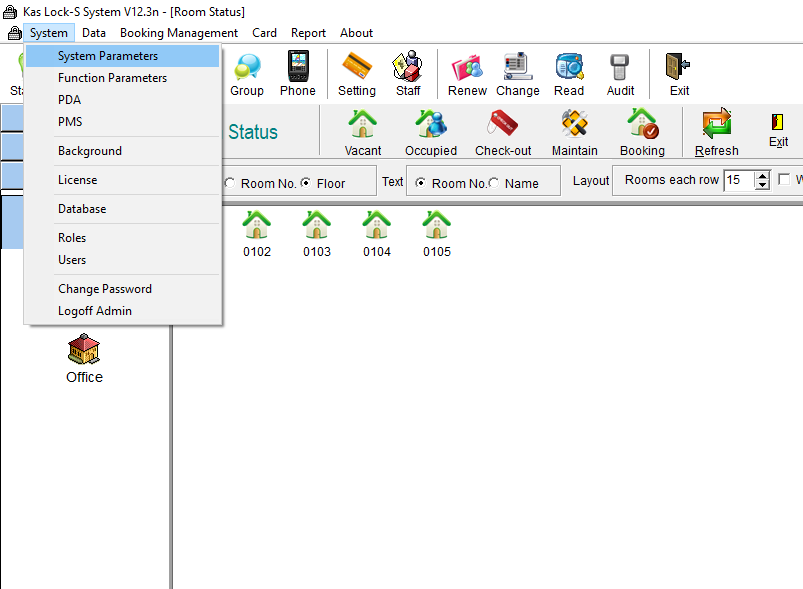
Open your KAS lock-S system Software and click on System >> System Parameters

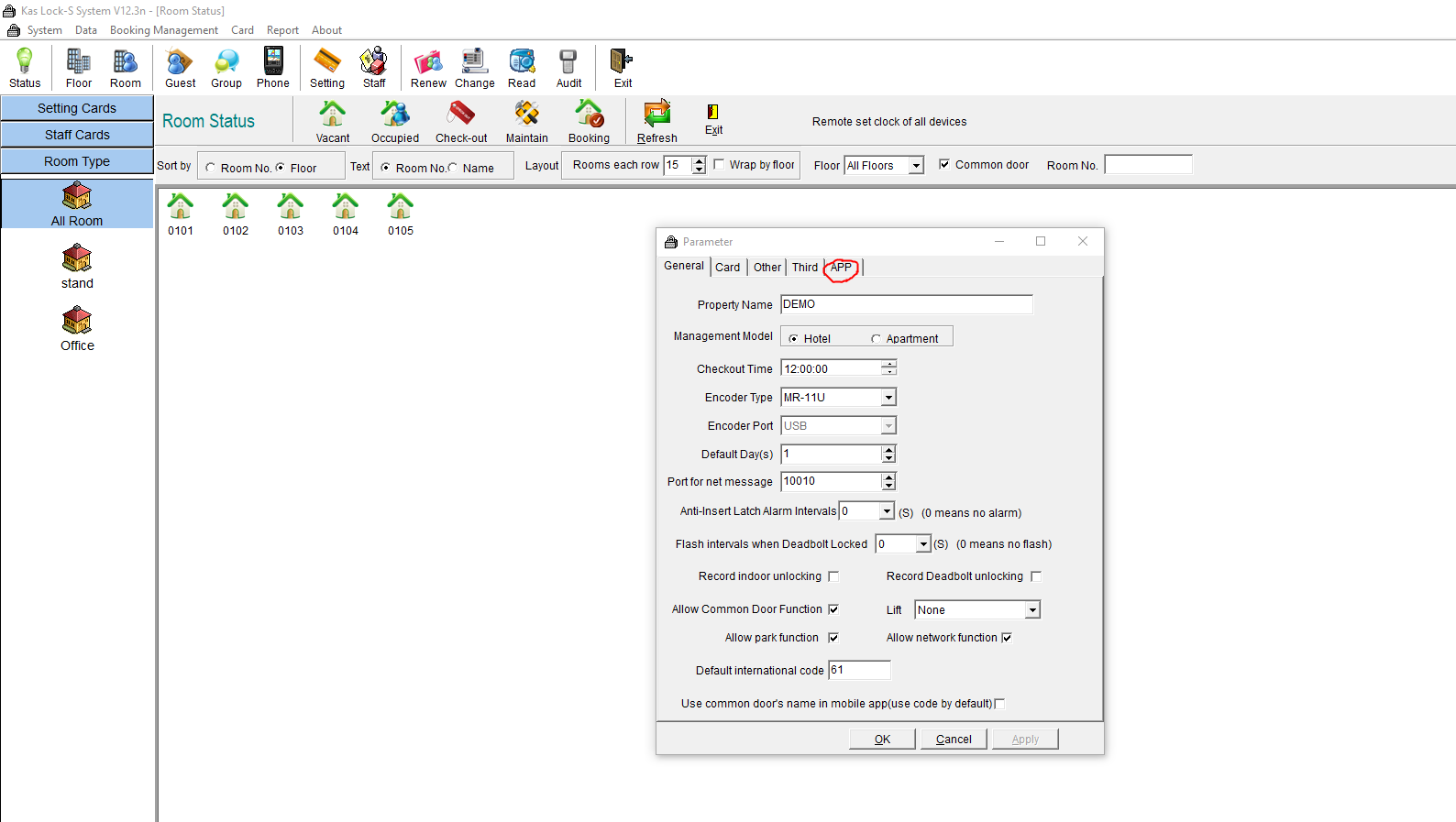
On the next window click on the App
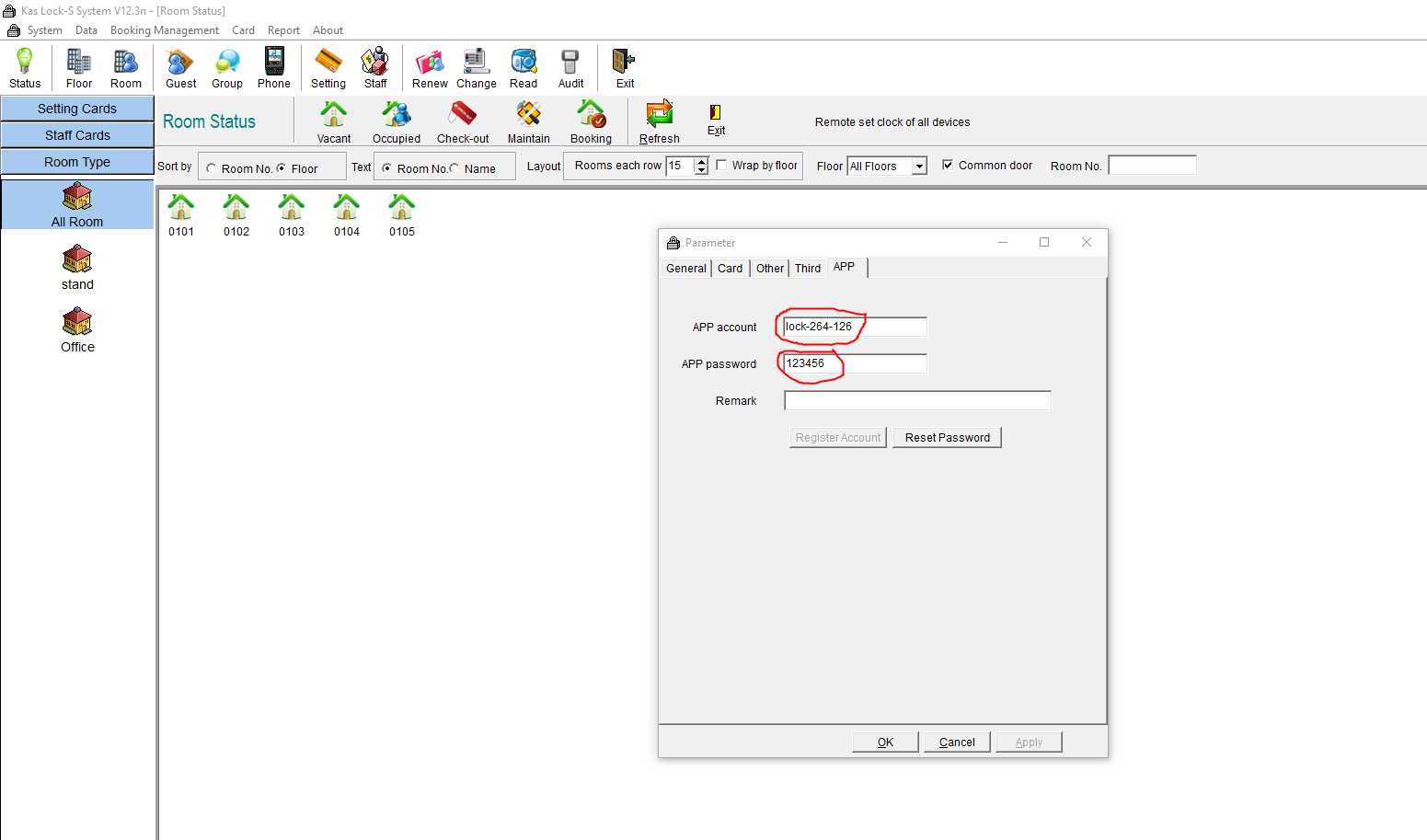
This will be your management account username and password
Related articles

29 Jun 20261 min read

Lock-S – Remote Functionality with Gateways

Premise This guide will talk you through how to connect your Lock-S locks to a gateway and remote control them via the Lock Keeper app. Note: Remote functionality with Lock-S has been deprecated. While this may still work, we cannot guarantee it. ...

29 Jun 20264 min read

Lock-S Software – Installing LockKeeper

Note: Bluetooth functionality with Lock-S has been deprecated. While this may still work, we cannot guarantee it. 1. Install SQL Server on the computer. Download SQL2012: https://www.microsoft.com/en-US/download/details.aspx?id=29062 For WINXP, WIN7 ...