
Premise
In the event of a suspected mechanical failure, you could check that the internal mechanism is triggering as intended.
This is only done when a lock is accepting a card (green light, single beep), but is not unlocking the door.
Note: This will require the removal of the lock from the door. The process typically only requires a screwdriver and no special knowledge.
Steps
1. Remove the lock from the door by unscrewing the 2 screws on the inside-part of the room. This will loosen the lock, and allow you to remove the front half from the door.
2. With the lock off the door, unscrew the back plate on the front half of the lock (see Step 2 in this link).
3. Ensure that the lock has batteries and tap a Master Card (or any valid card) to the lock.
4. Observe:
4a) Does the motor engage? You should be able to see the motor push a pin down into the spindle chamber.
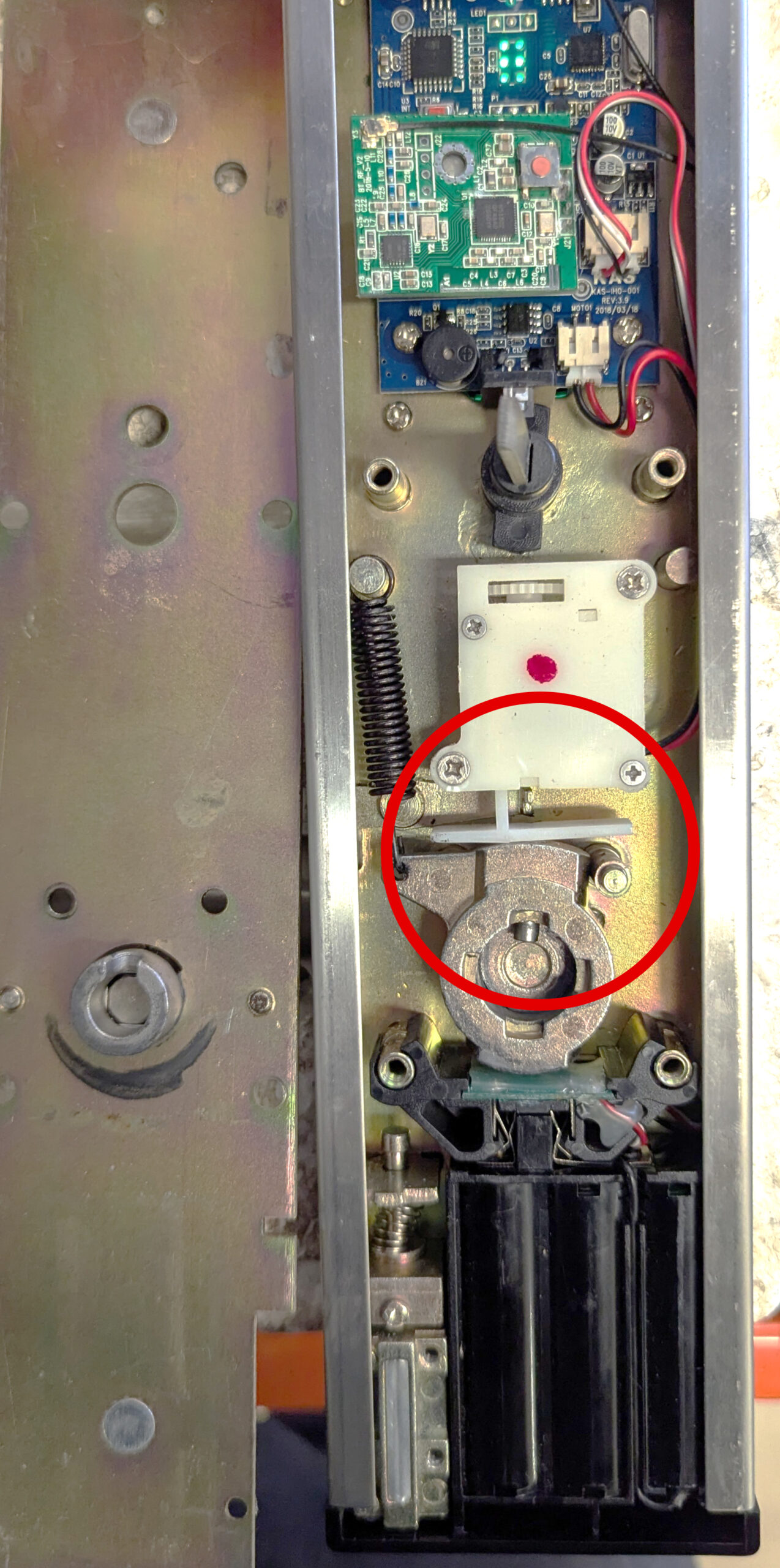
– If the motor does not turn at all (no sound): there may be an issue with the motherboard. Replace the motor with one from another lock to confirm.
– If, with another motor, there is no sound: The issue is the motherboard. Otherwise, if a 2nd motor runs fine, the issue is the motor.
– If the motor runs, but does not push down: Ensure that the pin (near the bottom of the red circle) is moving freely and is not jammed
– If the pin is moving freely and the motor still does not engage: Pull down on the plunger of the motor and tap a card to the lock with the plunger held down to run a cycle or two.