
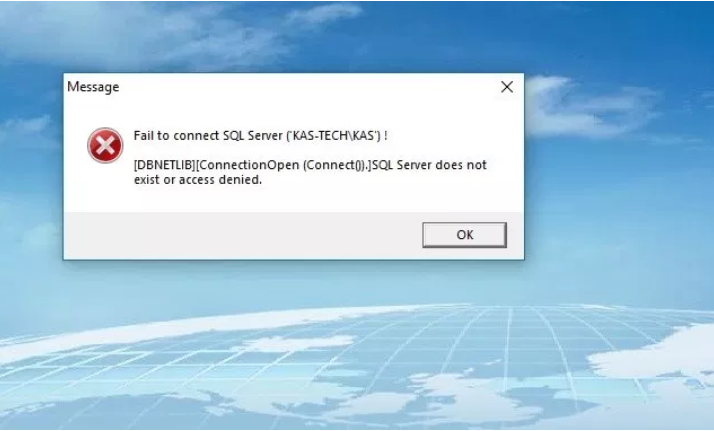
If you ever see this error when starting the ADEL software, follow the steps below to restart SQL:
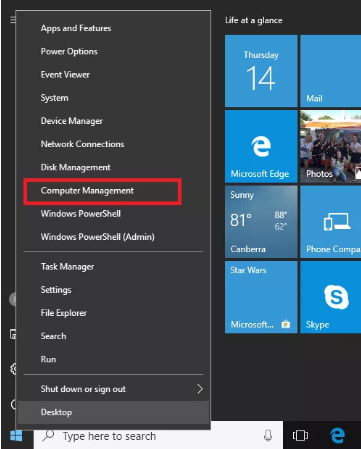
Windows 10 – Open ‘Computer Management’ by right-clicking the start icon (bottom left)
NOTE: For Windows 7 – Left-click on the start icon and open ‘Control Panel’ then select the option ‘Administrative Tools’ and then open ‘Computer Management’.
1) Once the
‘Computer Management’ page is open – Left-Click on
Services and Applications
‘Computer Management’ page is open – Left-Click on
Services and Applications
2) Left-click on the
‘SQL Server Configuration Manager’ option
‘SQL Server Configuration Manager’ option
3) Left-click on ‘
SQL Server Services’
SQL Server Services’
4) Right-Click on
SQL Server (Name) then select
‘Start’ or
‘Restart’
SQL Server (Name) then select
‘Start’ or
‘Restart’