Premise
This guide will talk you through how to connect your Lock-S locks to a gateway and remote control them via the Lock Keeper app.

Note: Remote functionality with Lock-S has been deprecated. While this may still work, we cannot guarantee it.
Prerequisites
- Remote Access license (obtained from KAS)
- Lock Keeper App
- iPMS server installed and configured as per the Lock-S instructions
- At least one gateway
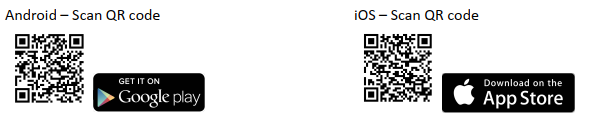
Download the Lock keeper app from the following link
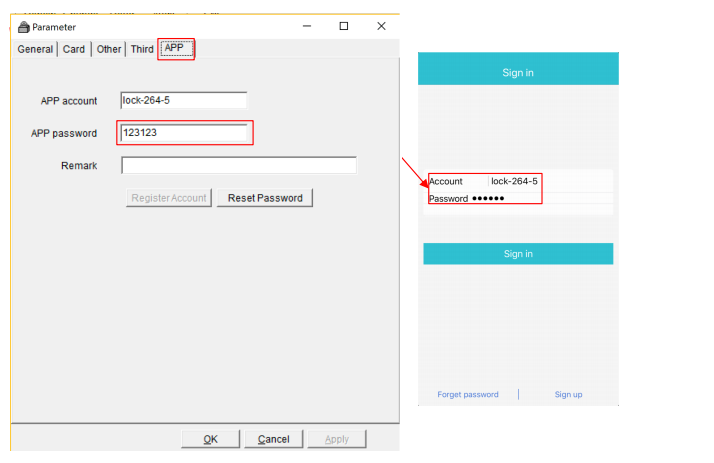
Login Using Lock-S Managers Account
APP Account details can be found in Lock-S Software by ‘System’>’System Parameters’>’APP’

The APP Account is not editable as it is assigned to each software license.
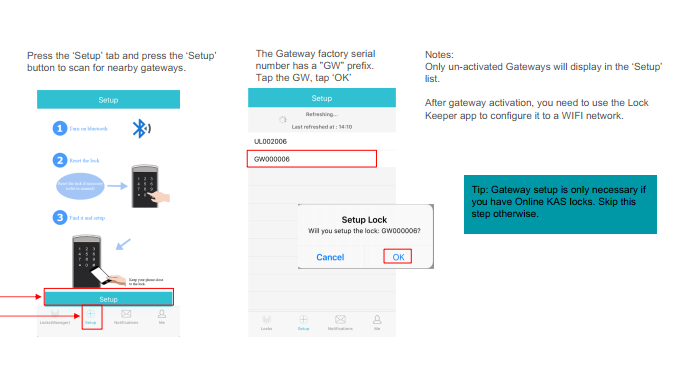
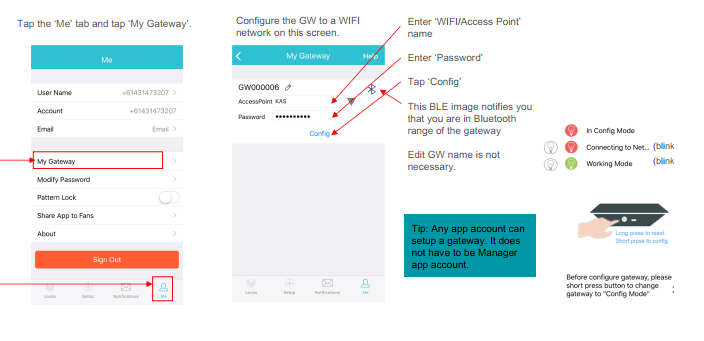
Connect a gateway via the app