
Components

This product contains 240V AC.
Copyrights
Information in this document is subject to change without further notice. No part of this document may be reproduced or transmitted in any form or by any means, electronic or mechanical, for any purpose, without the expressed written permission of KAS.
Diagram
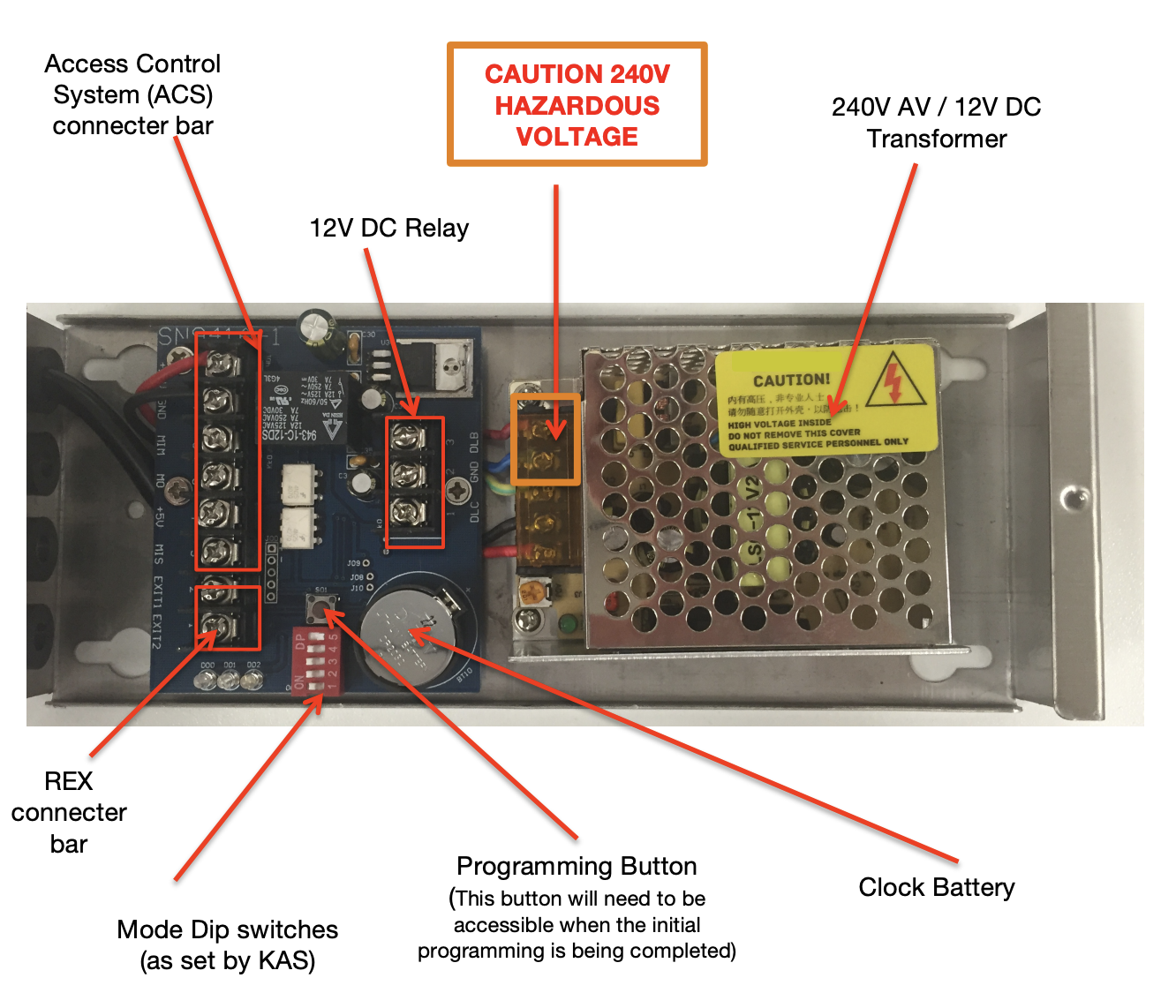
The following diagram illustrates the components of the Access Control Reader and the Access Control Module. KAS will have already setup the mode switch according to the client’s specifications; please do not change these mode switch settings.
*The ACM must remain accessible after installation.
Specifications:
– Working temperature: 0° to +50°C
– Storage temperature: -40° to +85°C
– Humidity: 30% to 95% RH
– Power: 240V AC transferred to a 12V DC operating system
– Current: Greater than 100mA
– Standard CAT5e cable has been tested up to 60m.
– KAS recommends up to 60m for each Reader to the module using standard CAT5e Cable.
– Dimensions: Large: 123L x 95W x 27H
– Reading distance: up to 20mm
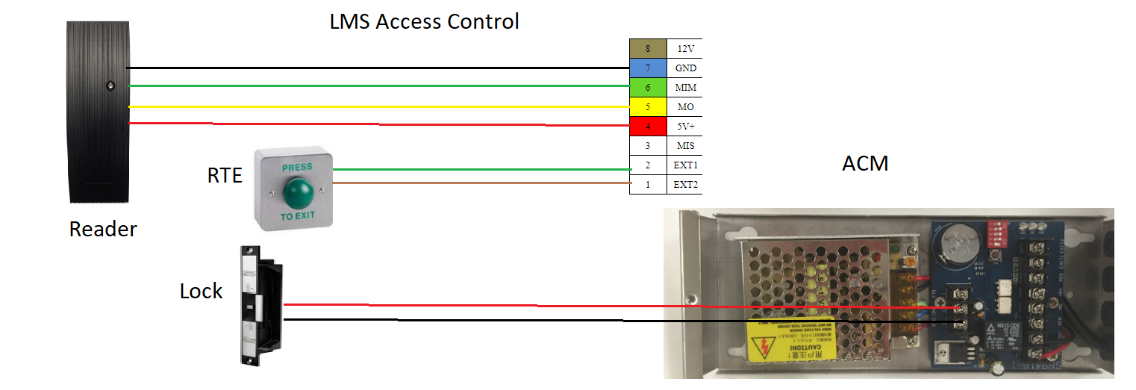
Wiring Diagram
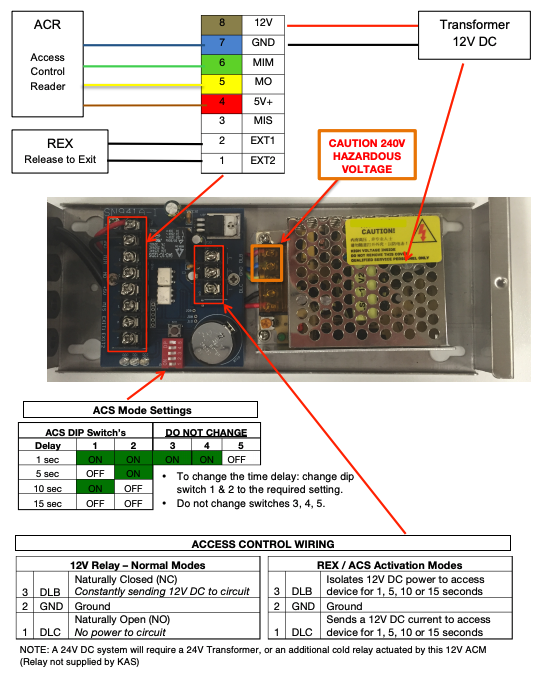 Wiring Diagram – LMS-ACS
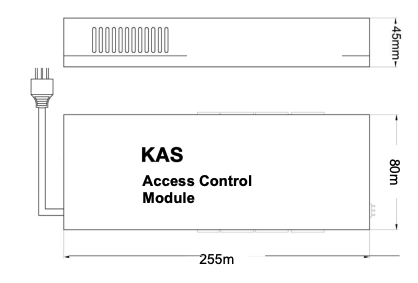
Access Control System Dimensions
- This module is NOT waterproof and must be installed in a weather proof area. This device carries 240V AC.
- For example: an accessible wall cavity
- You need to access this module to program the access control reader, so it must be accessible/reachable during programming.
Access Control Module
 ACS Module
Access Control Reader
This reader is waterproof (IP67)
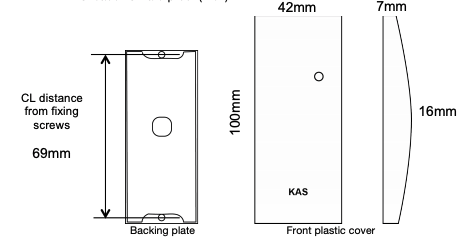 Access COntrol Reader Dimensions