
API DOCUMENTATION for console.kas.com.au
|
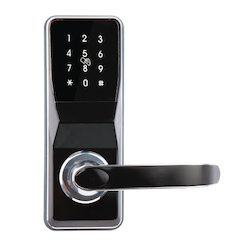
NEO CLOUD SMART LOCK |
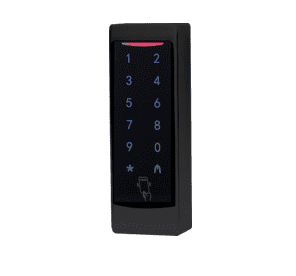
NEO CLOUD ACCESS CONTROL |
Change Log
- Update response to include status codes for when requests timeout.
- Added information about static api key.
- Add RFID commands
- Added “GET LOCK AUDIT TRIAL” endpoint
- Updated details for passwords endpoints
- Added “GET PASSWORDS” endpoint
- Retrieve API Key through an endpoint for added security
- API is live
- Contact support@kas.com.au today to get your API key
Getting Started
Preface / Workflow :
- Each API call will return a response indicating if the request has been processed correctly by our system. It is imperative you monitor each call individually to ensure success of the request.
- Do not send an API call and assume it has been processed successfully just because the request has been sent.
- API call limits are 30 API calls in the queue maximum. If you attempt to push more than 30 calls at one time, they will be dropped by our server without error.
- When setting a new RFID or pincode, you are required to send a “password_ID” / “rfid_id” along with the pincode/RFID number. Please ensure you manage available “password_ID” / “rfid_id” (code positions) as part of your integration. You must avoid overwriting existing pincodes including those which are assigned to manually entered pincodes through our console interface. In order to avoid overwriting manually entered pincodes, we recommend using the “Get Online Passcodes” / “Get Remote RFIDs” endpoints to ascertain which IDs are currently in use. Alternatively, as a quick/dirty solution, starting at password_ID/rfid_id position 120 will generally avoid overwriting manually entered pincodes/rifds.
API Do’s and Dont’s
Do monitor password_id/rfid_id’s using the “Get Online Passcodes” / “Get Remote RFIDs” endpoints to avoid overwriting codes.
Step 1: Setup the lock using KAS Cloud App
Web Console – User Guide
Step 2: Retrieve your API Key
API Key: eyJhbGciOiJIUzI1NiIsInR5cCI6IkpXVCJ9.eyJfaWQiOiI1YzI3Yjk3ZDRiMTJhMTAw
MTc3MTVlZmYiLCJsYXRlc3RfdG9rZW5fZGF0ZSI6IjIwMTktMDEtMTNUMDY6NTI6MzUuMjg5WiIsImlhdCI6MTU0NzUwMTM5Mn0.v8cuLVqum_sWuM1OsSWiM3MUpRYRHuSMsBYucZIYVk0

- The API key is dynamic and needs to be refreshed every 24 hours.
Step 3: Start using the API
- To use the API, it requires a paid subscription.
- Use the HTTP Status code to check for call result.
- Unless specified please use HEADER : Content-type: Application/JSON
- Unless specified please use HEADER: x-auth-token: <Your API Key here>
API Commands
Remote Unlock
Request
|
Request URL |
factory_name is obtained from app interface. It either starts with ‘SS’ or ‘UL’. Replace API_KEY with your API Key retrieved from above. |
|
|
Request Method |
GET |
|
|
Header |
Content-type |
application/json |
|
Body |
nil |
Example:
Response
|
HTTP Status Code |
Response Body (Plain Text) |
|
200 |
{ |
|
400 |
You are not the admin. |
|
500 |
Unknown Error |
|
504
|
{
“ack”: 504,
“message”: “Gateway timeout. You should retry the request again now.”,
ref: “UOWS-Xmuj”
}
|
- This command may take up to 15 seconds to return a result. It’s because the command needs to be delivered through the gateway network and the lock will respond with the “ack” result.
- If you receive a 504 status code, it is because the gateway has timed out. Due to network, we can’t guarantee if the request was delivered or not to the lock. If this scenario, you should retry the request immediately.
Add Online Password
Request
|
Request Header |
x-auth-token |
<your API Key here> |
|
Request URL |
factory_name is obtained from app interface. It either starts with ‘SS’ or ‘UL’. |
|
|
Request Method |
POST |
|
|
Header |
Content-type |
application/json |
|
Body |
password_id: [Int] 101->200 , |
{ |
Example
POST https://cloud.kas.com.au/api/lockCommand/remotePassword/S000510
Response
|
HTTP Status Code |
Response Body (Plain Text) |
|
200 |
{ |
|
400 |
You are not the admin. |
|
500 / 504 |
Unknown Error
{
“ack”: 504,
“message”: “Gateway timeout. You should retry the request again now.”
}
|
- The response object will return the list of pincodes in the lock and their respective ID.
- The lock must have the clock set (Use the mobile app or Web Console to set it)
- If you Add Password with an ID which is already existing inside the lock memory, the API will override the ID with the new request.
Delete Online Password
Request
|
Request Header |
x-auth-token |
<your API Key here> |
|
Request URL |
factory_name is obtained from app interface. It either starts with ‘SS’ or ‘UL’. |
|
|
Request Method |
DELETE |
|
|
Header |
Content-type |
application/json |
|
Body |
password: [String] 1234 or 223344 (4-6 digits) |
{ “password”:”1234″ |
Example
DELETE https://cloud.kas.com.au/api/lockCommand/remotePassword/S000510
Response
|
HTTP Status Code |
Response Body |
|
200 |
{ |
|
400 |
You are not the admin. |
|
500 / 504 |
Unknown Error
{
“ack”: 504,
“message”: “Gateway timeout. You should retry the request again now.”
}
|
- The response object will provide the appropriate “ack” if the password was deleted or not.
- If “ack” is not equal to 1, you should conduct the command again.
- There might be cases when HTTP status 200 is returned but the “ack” does not equal to 1. This means that your request is authenticated and you have the privilege to conduct the command, however, due to other circumstances, the requests fail.
- If you have trouble with this command, please delete it by the ID only and not the password value. There might be a case where duplicate password values are uploaded. Or please upload a new pin code over the ID and remove it afterward.
Get Online Passwords
Request
|
Request Header |
x-auth-token |
<your API Key here> |
|
Request URL |
factory_name is obtained from app interface. It either starts with ‘SS’ or ‘UL’. |
|
|
Request Method |
GET |
|
|
Header |
Content-type |
application/json |
|
Body |
none |
none |
Example
GET https://cloud.kas.com.au/api/lockCommand/remotePassword/S000510
Response
|
HTTP Status Code |
Response Body |
|
200 |
{ |
|
400 |
You are not the admin. |
|
500 / 504 |
Unknown Error |
- This command is useful when need to see what pincodes are in the lock memory.
Get Lock Audit Trial
Request
|
Request Header |
x-auth-token |
<your API Key here> |
|
Request URL |
factory_name is obtained from app interface. It either starts with ‘SS’ or ‘UL’. |
|
|
Request Method |
GET |
|
|
Header |
Content-type |
application/json |
|
Body |
application |
none |
Example
GET https://cloud.kas.com.au/api/events/SS000510
Response
| HTTP Status Code | Response Body |
| 200 | { “events”: { “_id”: “5ccf7997c89f1a0017350b78”, “l_factory_name”: “SS001479”, “events”: [ { “date_added”: “2019-08-07T13:45:48.140Z”, “_id”: “5d4ad60ccd2f7a0017ba7f1d”, “event_type”: 1, “event_type_label”: “Unlock Event”, “battery”: 97, “user_id”: 102, “user_type”: 3, “user_type_desc”: “password”, “user_id_value”: “4321”, “user_name”: “User 2”, “date_added_timezone_name”: “Australia/Brisbane” }, { “date_added”: “2019-08-16T00:25:25.346Z”, “_id”: “5d55f7f51d7b40001772b613”, “event_type”: 1, “event_type_label”: “Unlock Event”, “battery”: null, “user_id”: null, “user_type”: 7, “user_type_desc”: “Remote Unlock”, “user_id_value”: “test@test.com”, “user_name”: “User 1”, “date_added_timezone_name”: “Australia/Brisbane” } ], “__v”: 0, “l_lock_title”: “Door Lock 2” }, “ack”: 0 } |
| 40x | You are not the admin. You are not the manager. Invalid Token. Lock is not found. |
| 500 | Unknown Error |
Notice:
- This command is useful when need to see an audit event.
- Note: this will only show events that have been captured by the Gateway. If the Gateway if offline for a period of time, unlocking events may be missed and not shown in this list.
- This list will show the last 3 months of unlocking events.
- “ack”: 0 means you don’t need to validate the ack because this request receives server data and does not go directly to the lock.
Get Remote RFIDs
Request
|
Request Header |
x-auth-token |
<your API Key here> |
|
Request URL |
factory_name is obtained from app interface. It either starts with ‘SS’ or ‘UL’. |
|
|
Request Method |
GET |
|
|
Header |
Content-type |
application/json |
|
Body |
none |
none |
Example
GET https://cloud.kas.com.au/api/lockCommand/remoteRFID/S000510
Response
|
HTTP Status Code |
Response Body |
|
200 |
{ |
|
400 |
You are not the admin. |
|
500 / 504 |
Unknown Error |
- This command is useful when need to see what RFID tags are in the lock memory.
Add Remote RFID
Request
|
Request Header |
x-auth-token |
<your API Key here> |
|
Request URL |
factory_name is obtained from app interface. It either starts with ‘SS’ or ‘UL’. |
|
|
Request Method |
POST |
|
|
Header |
Content-type |
application/json |
|
Body |
rfid_id: [Int] 101->200 , or 101-> 2000 for Access Control Reader
rfid_end_time: [String] YYMMDDHHmm,
rfid_name: [String] “John”,
uid: [String] – hexadecimal number of the rfid tag (4 hex bytes i.e 8 char string)
kas_uid: [String] – Number on the keycards provided by kas (10 digits only)
is_kas_uid: [Bool] – provide true if you are using kas_uid (ones provided by kas with 10 digits) – default False |
{ “rfid_end_time”:”1904251200″, “rfid_name”: “John”,
“uid”: “ABCD1234”,
“kas_uid”: “1234567890”,
“is_kas_uid”:true
} |
Example
POST https://cloud.kas.com.au/api/lockCommand/remoteRFID/S000510
Response
|
HTTP Status Code |
Response Body (Plain Text) |
|
200 |
{ |
|
400 |
You are not the admin. |
|
500 / 504 |
Unknown Error
{
“ack”: 504,
“message”: “Gateway timeout. You should retry the request again now.”
}
|
- The response object will return the list of rfids in the lock and their respective ID.
- The lock must have the clock set (Use the mobile app or Web Console to set it)
- If you Add RFID with an ID which is already existing inside the lock memory, the API will override the ID with the new request.
Delete Remote RFID
Request
|
Request Header |
x-auth-token |
<your API Key here> |
|
Request URL |
factory_name is obtained from app interface. It either starts with ‘SS’ or ‘UL’. |
|
|
Request Method |
DELETE |
|
|
Header |
Content-type |
application/json |
|
Body |
rfid_id: [Number] 101 |
{ |
Example
DELETE https://cloud.kas.com.au/api/lockCommand/remoteRFID/S000510
Response
|
HTTP Status Code |
Response Body |
|
200 |
{ |
|
400 |
You are not the admin. |
|
500 / 504 |
Unknown Error
{
“ack”: 504,
“message”: “Gateway timeout. You should retry the request again now.”
}
|
- The response object will provide the appropriate “ack” if the password was deleted or not.
- If “ack” is not equal to 1, you should conduct the command again.
- There might be cases when HTTP status 200 is returned but the “ack” does not equal to 1. This means that your request is authenticated and you have the privilege to conduct the command, however, due to other circumstances, the requests fail.
- If you have trouble with this command, please delete it by the ID only and not the password value. There might be a case where duplicate password values are uploaded. Or please upload a new pin code over the ID and remove it afterward.
Set Clock
Request
|
Request Header |
x-auth-token |
<your API Key here> |
|
Request URL |
factory_name is obtained from app interface. It either starts with ‘SS’ or ‘UL’. |
|
|
Request Method |
PUT |
|
|
Header |
Content-type |
application/json |
Example
PUT https://cloud.kas.com.au/api/lockCommand/setClock/S000510
Response
|
HTTP Status Code |
Response Body |
|
200 |
{ |
|
400 |
You are not the admin. |
|
500 / 504 |
Unknown Error
{
“ack”: 504,
“message”: “Gateway timeout. You should retry the request again now.”
}
|
- If “ack” is not equal to 1, you should conduct the command again.
- There might be cases when HTTP status 200 is returned but the “ack” does not equal to 1. This means that your request is authenticated and you have the privilege to conduct the command, however, due to other circumstances, the requests fail.
ACK and Response Values
If you receive HTTP Status 504, this is a gateway timeout. Due to networking or other factors, the request might have reached the lock but the gateway did not respond back fast enough before the request was closed. In this scenario, we can’t guarantee if the request failed or succeed. You should retry the request again straight away if you receive HTTP Status 504.
Response:
Body:{ “ack”: [Number], “message”: [String], … }
| ACK | Response Body (message) | Correction |
| 1 | Success | n/a |
| 2 / 4 / 6 | Error. Internal interface error. Failed. Timeout. | Try command again or Invalid parameters. Try adding a pincode on top of the existing ID and delete that one later. |
| 5 | Pending | Waiting for the API response. |
| 8 | Failed. No gateway nearby | Ensure gateway is nearby. You might have to wait a few minutes for the gateway and lock to automatically discover each other. |