
Back to knowledgebase

Download and Install KAS SQL Auto Backup Tool (Windows only)

KAS SQL Database Backup Tool Please click on the following link to download the KAS Auto Backup Tool:  Download Backup Tool Double click on the KAS Back Tool setup  Click Next Keep clicking Next until you see the following screen and then click ...
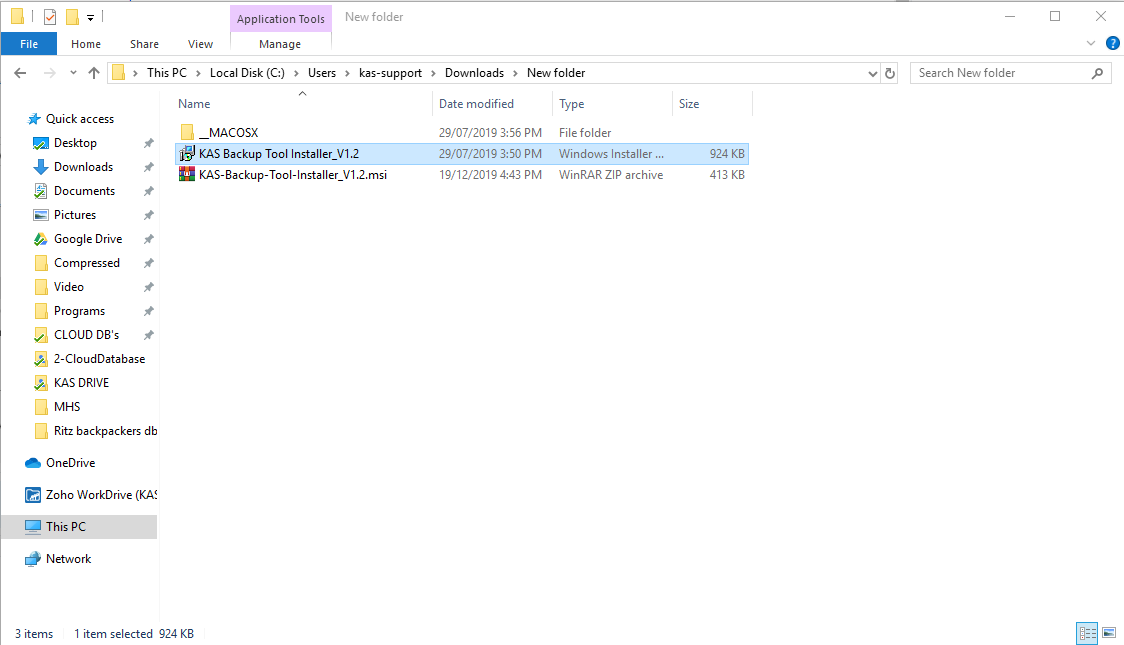
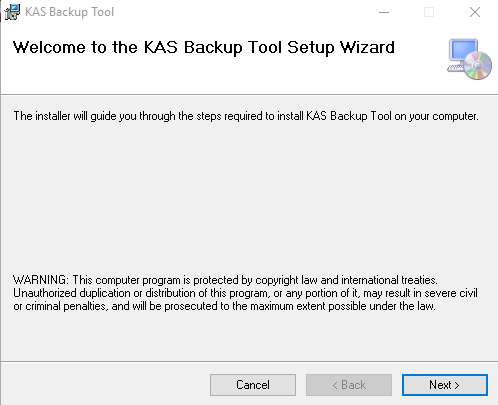
KAS SQL Database Backup Tool

Please click on the following link to download the KAS Auto Backup Tool: 
  1. Download Backup Tool
Double click on the KAS Back Tool setup 
Click Next
Keep clicking Next until you see the following screen and then click close.
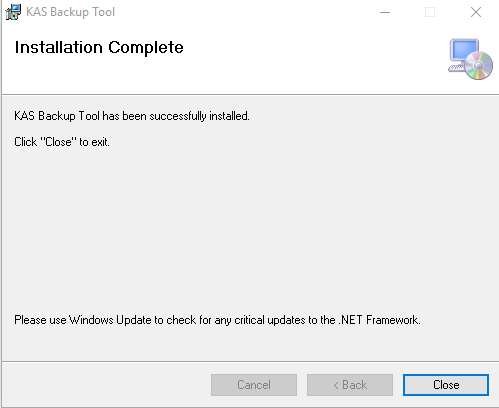
Click on Windows logo and open KAS Backup Tool
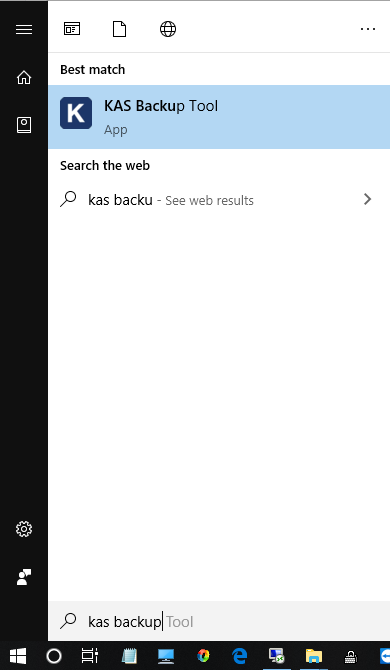
From the folder double click on KAS Backup Tool
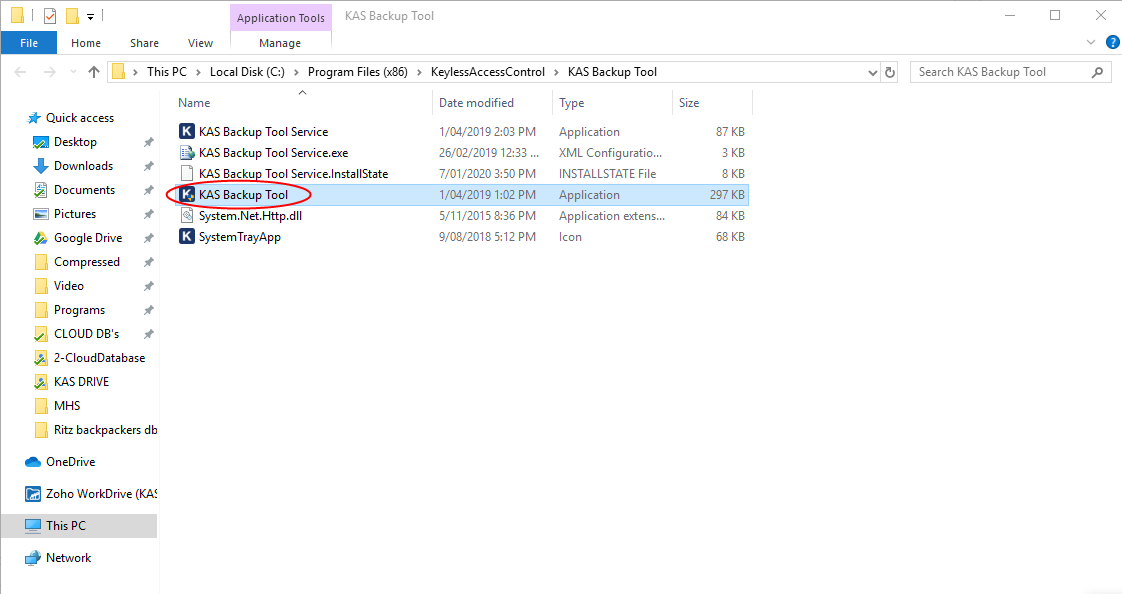
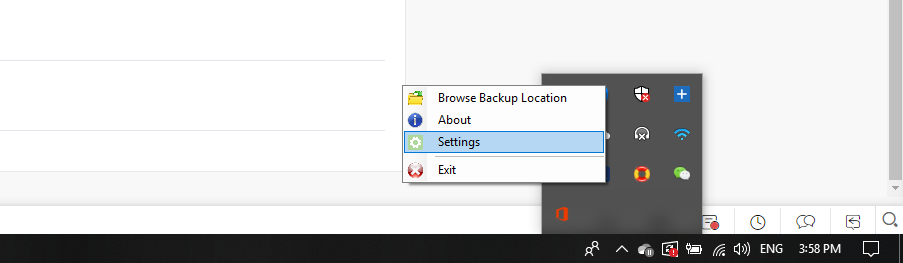
From you windows Bottom right corner navigate the backup tool with the KAS logo

Right Click and press Settings
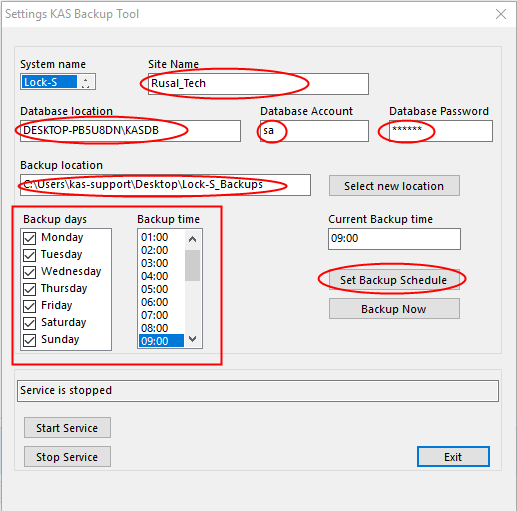
Fill up all the relevant fields and click Set Backup Schedule
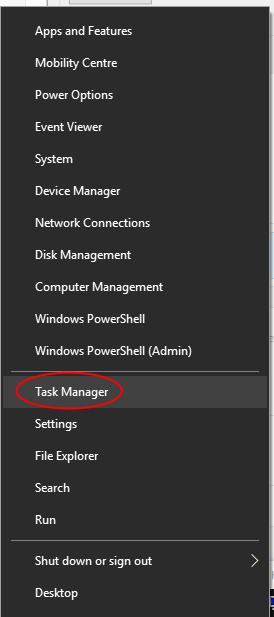
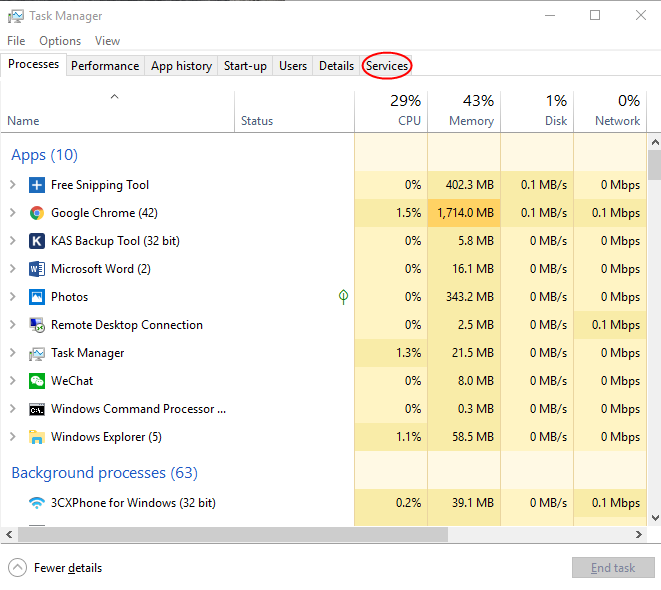
Now Right Click on Windows Logo and click Task Manager
After that click on Services
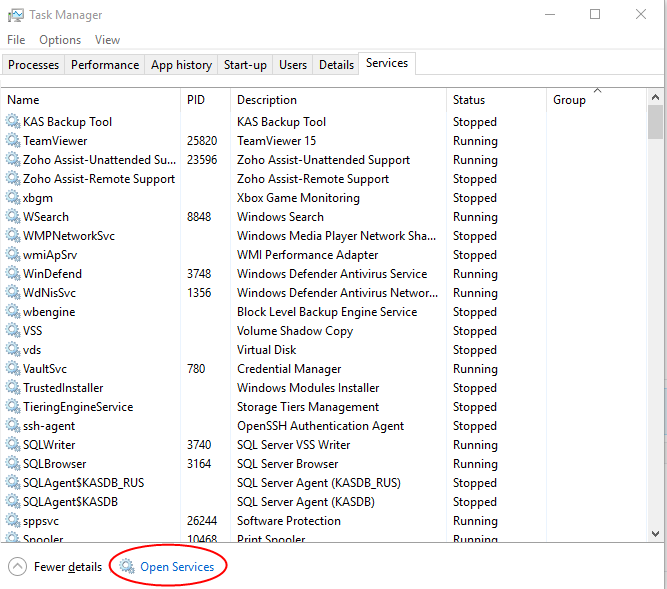
Then click on Open services
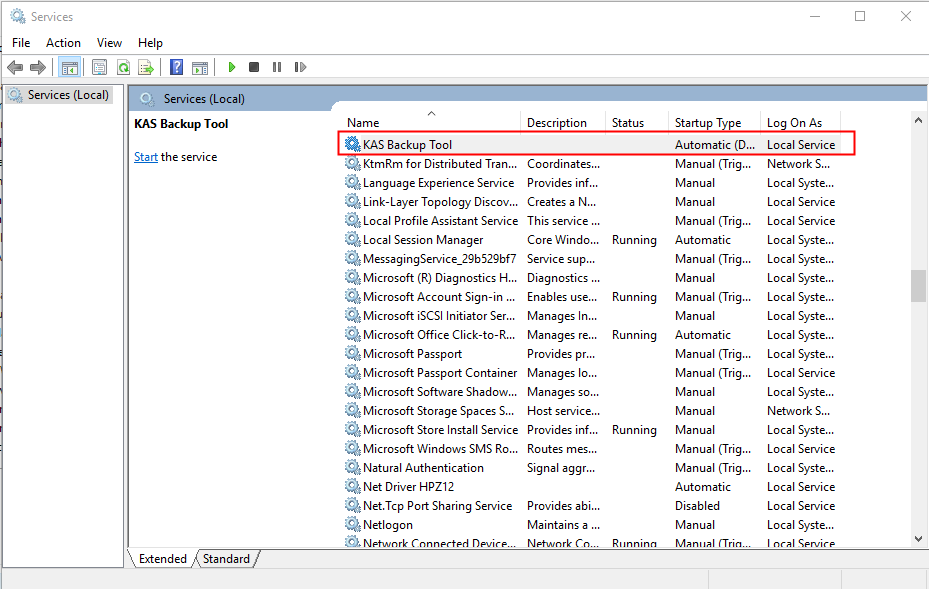
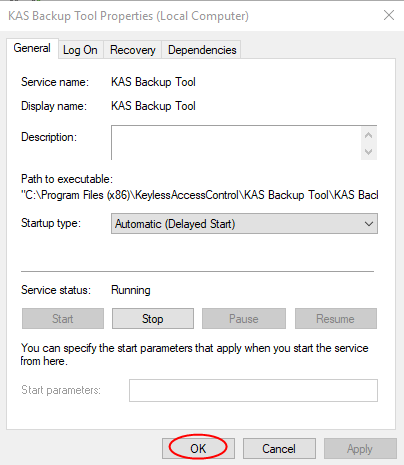
Navigate KAS Backup Tool from the list and double click to open
Press Start
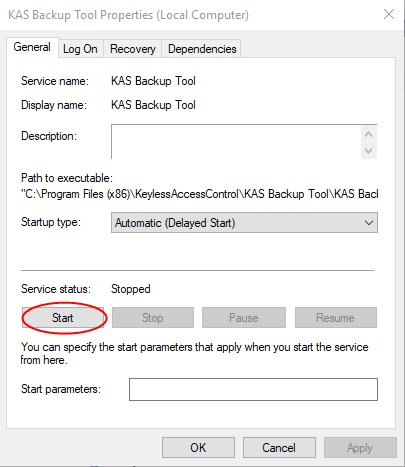
Click Ok
Related articles

8 Jul 20252 min read

Mechanical Troubleshooting

Premise In the event of a suspected mechanical failure, you could check that the internal mechanism is triggering as intended. This is only done when a lock is accepting a card (green light, single beep), but is not unlocking the door. Note: This ...

14 Jun 202327 min read

KASAccess User Manual / Product Guide

Setting up KASAccess To start using KASAccess, you need to obtain login credentials from KAS. This can be done by contacting their customer service via phone or email. Once you receive your login details, you can log into KASAccess and access the ...

4 Nov 20222 min read

KASAccess Guest Bluetooth Keys

KASAccess Guest Keys - Bluetooth Guest Keys (Pin Codes or RFID Cards) when created have a Bluetooth key/s associated by default This is applied through the Unique Identifier section for new Guests, or if a Unique Identifier already exists please ...