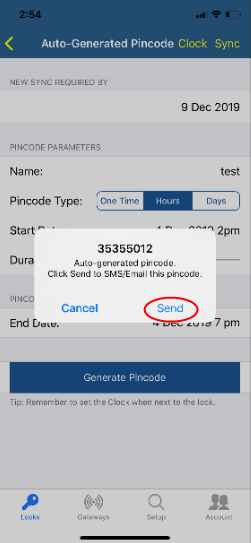
This process is only if using the KAS Cloud App (free account), if using the KAS Cloud Web Console generate pin codes from there.
Step # 1:
Click on your lock that you would like to generate the auto-gen pin code for.
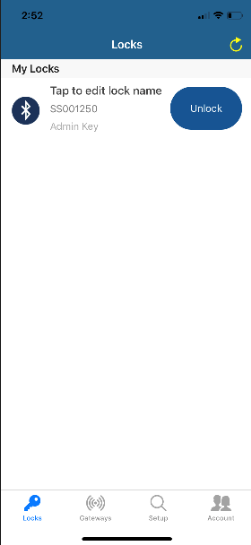
Step # 2:
From a menu below select Auto-Generate pin code
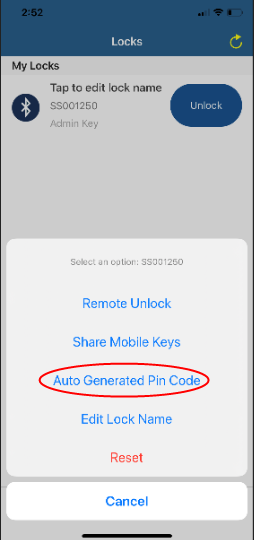
Step # 3:
On the next screen click on “sync” from the top right corner.

NOTE: “SYNC” is only require once every year if your “new sync required by” date is still valid SKIP this step
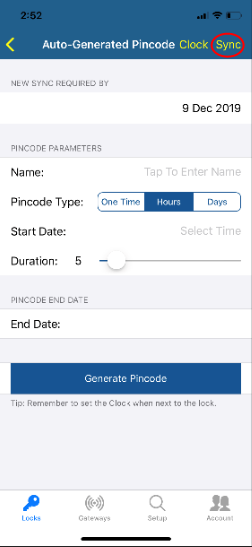
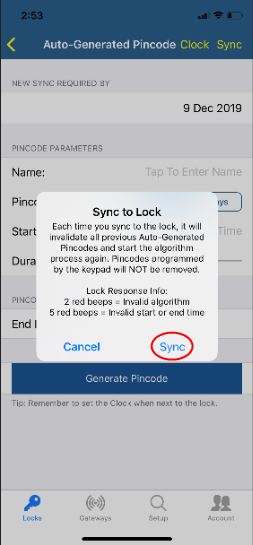
Step # 4:
Then Click on “Sync” again.
NOTE: “SYNC” is only require once every year if your “new sync required by” date is still valid SKIP this step
Step #5:
After that click on “Clock”
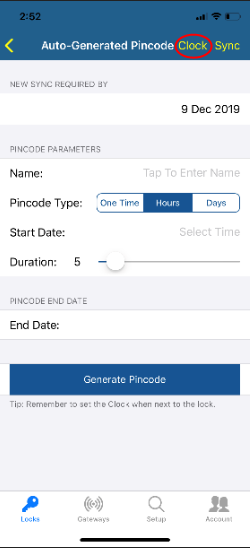
Step # 6:
Then Click on “Update” (Make sure your date and time on your phone is correct)
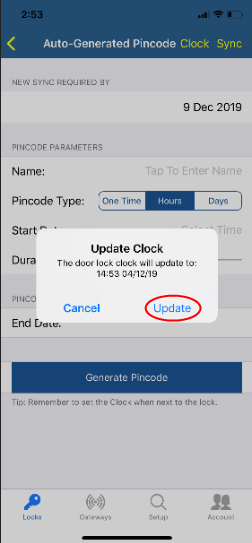
Step # 7:
After that fill in the fields and click generate pincode
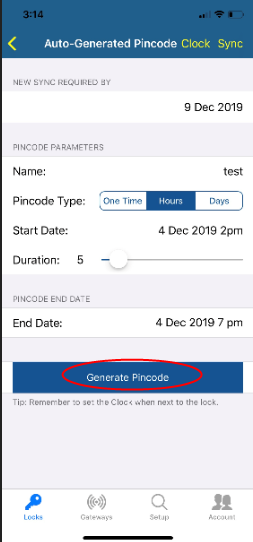
Step # 8:
The App will automatically generate the pin code with an option if you want to “Send” it to your guests otherwise select cancel.