Please Note:
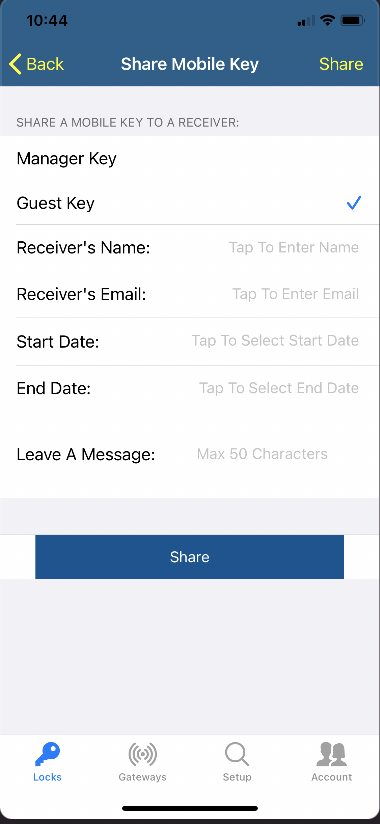
There is no editing option to the mobile keys in the mobile App, In order to extend the mobile key you would need to delete the previous key first and then you would need to send the mobile key again with the new check in and check out date.
Use the following steps to delete existing mobile keys:
1) Click on the lock in the App and then click on share mobile keys.
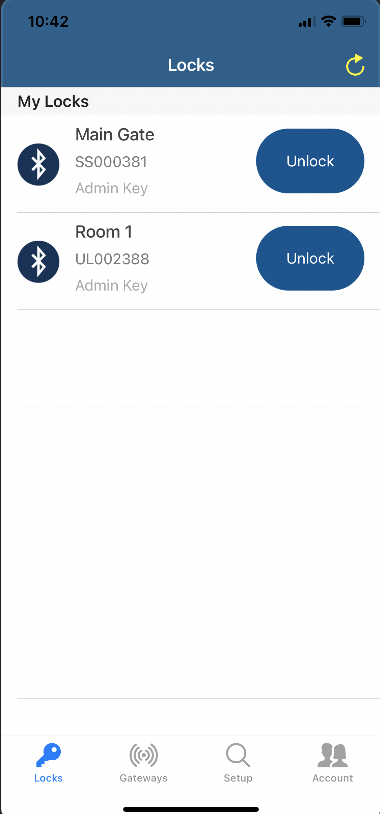
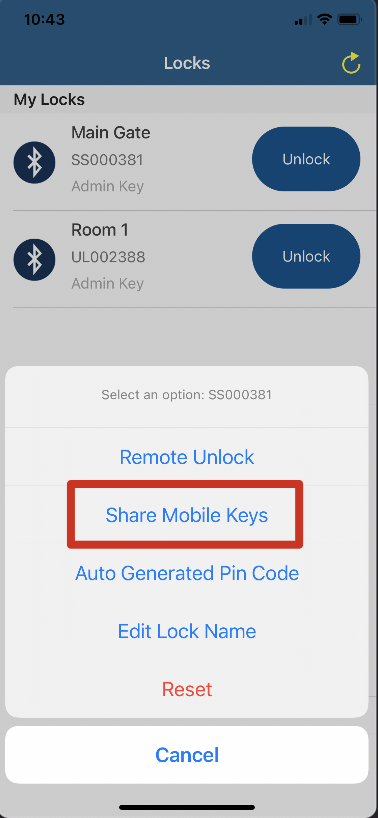
2) Now click on the mobile key you want to remove, and then click on remove.
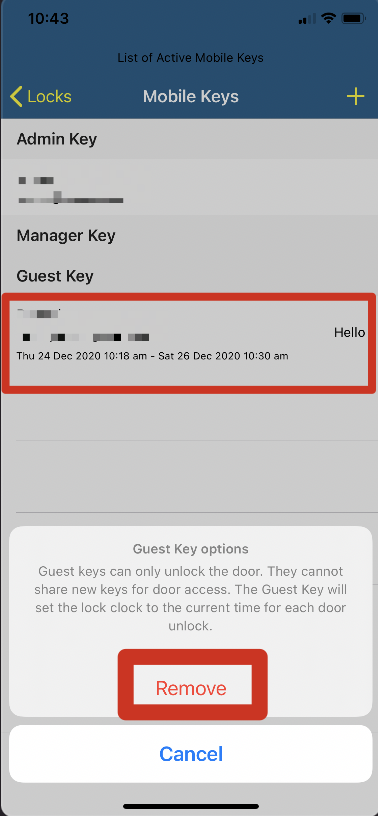
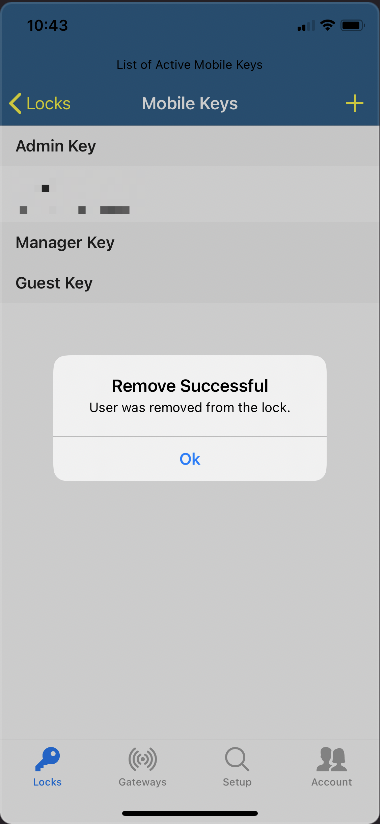
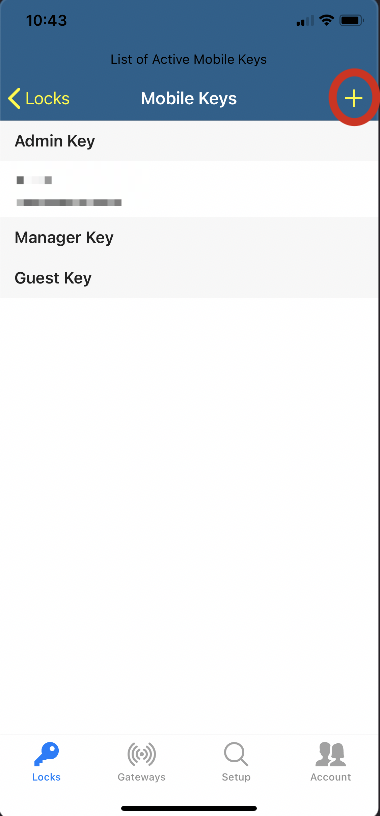
3) Now your existing key would not show in the list anymore, in order to add a new key now with new dates, please click on the "+" symbol on the top right of the page and then on the next page, fill in the fields and click share.