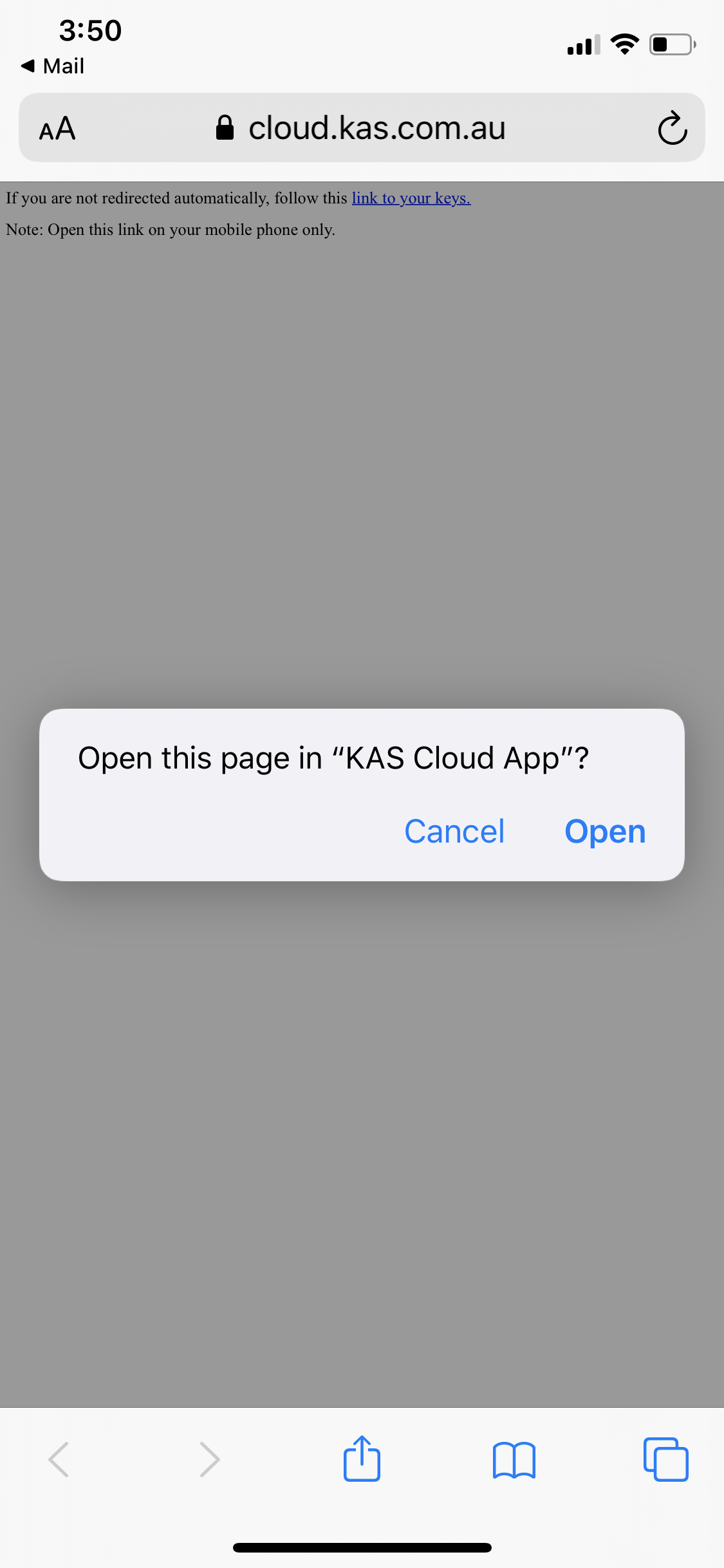
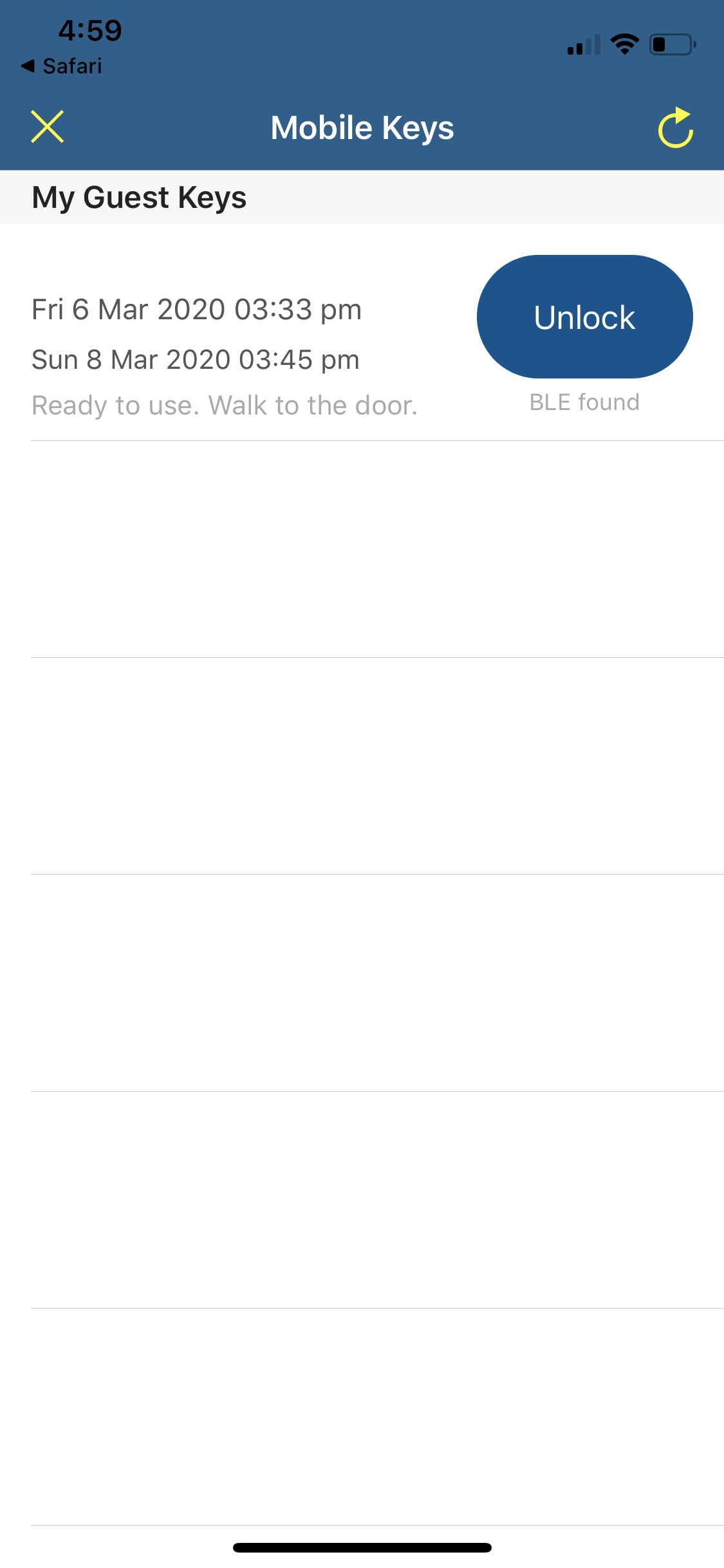
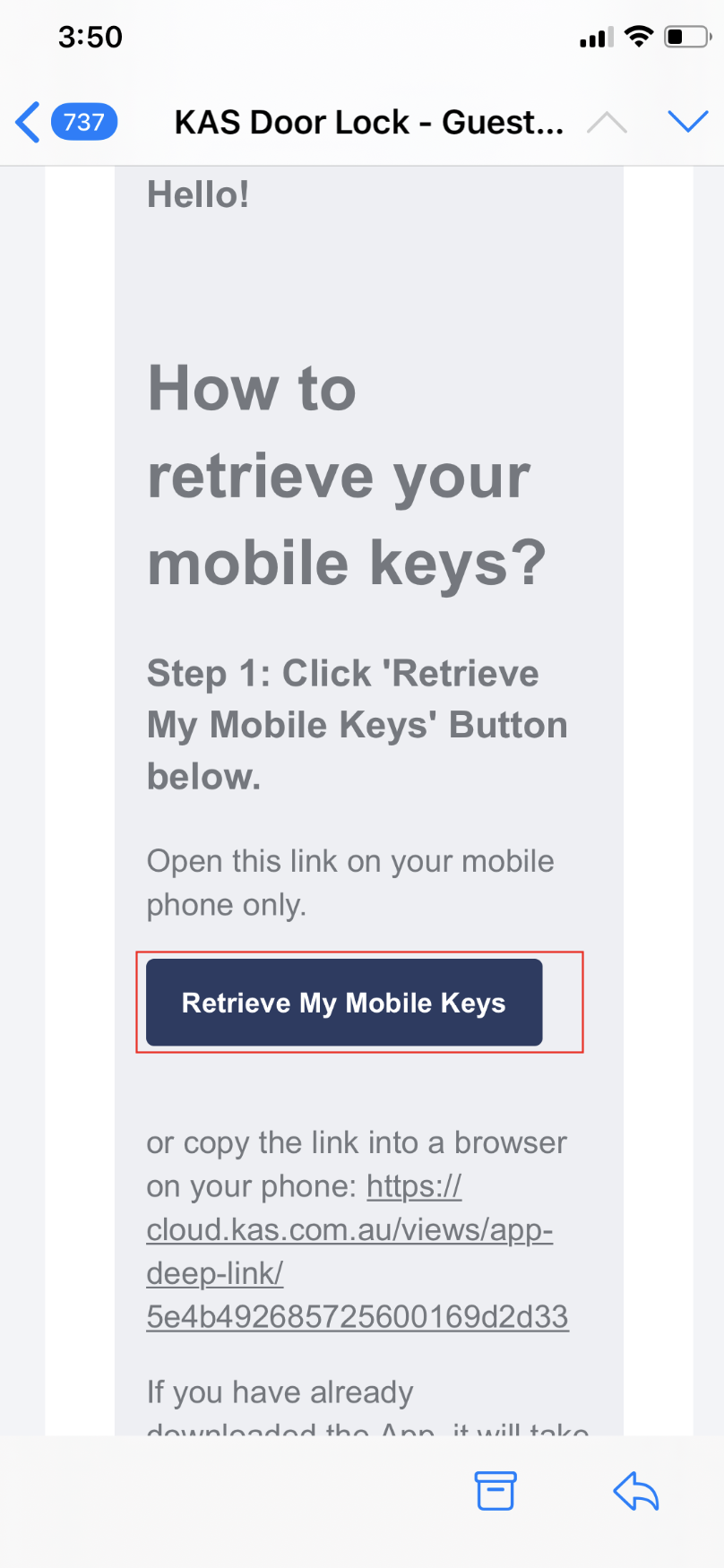
4. Now your Guest need to download and install the App and retrieve the key using their email


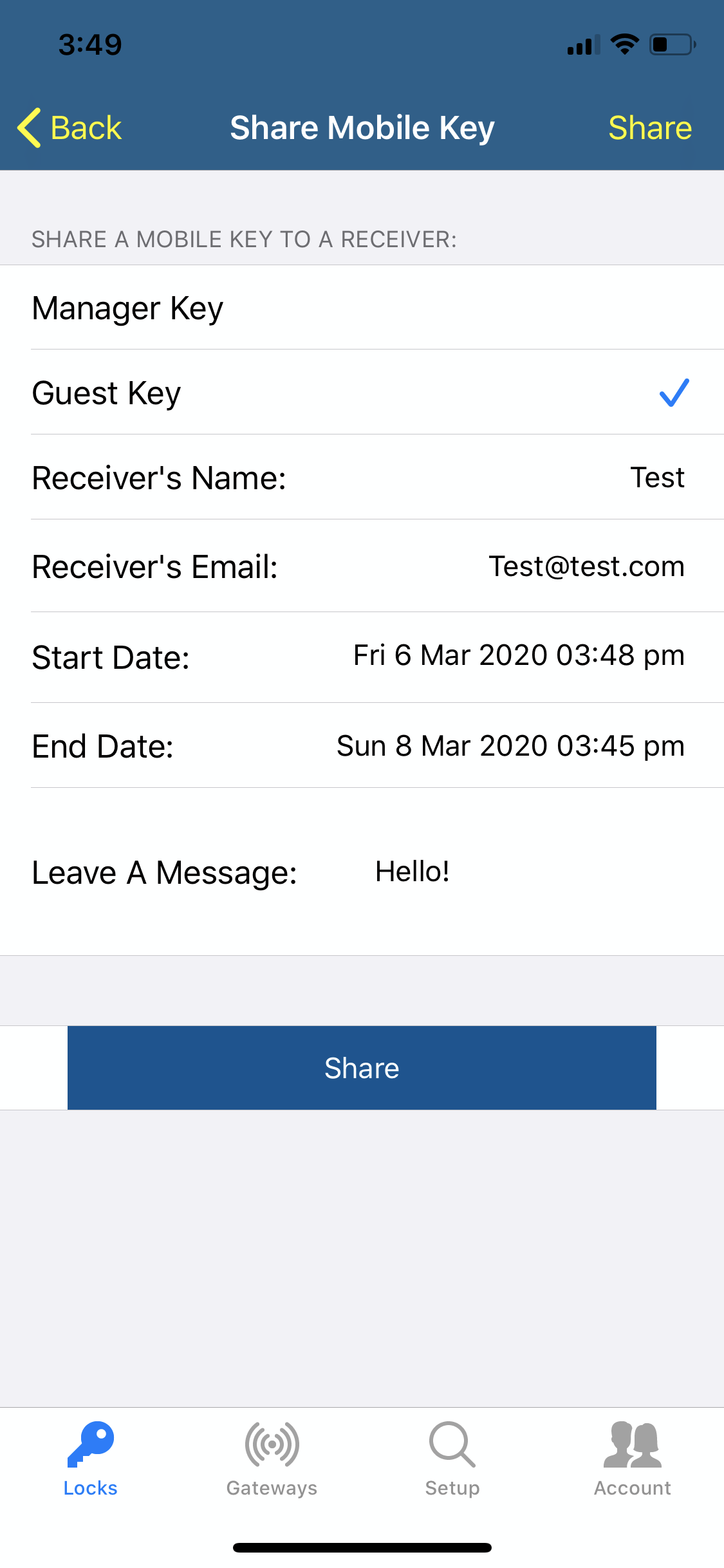
Sharing the Mobile Key 1. Click on the Lock that you want tot send the key of and then click on share mobile keys. 2. Click on the "+" button 3. Fill up the information and click Share 4. Now your Guest need to download and install the ...
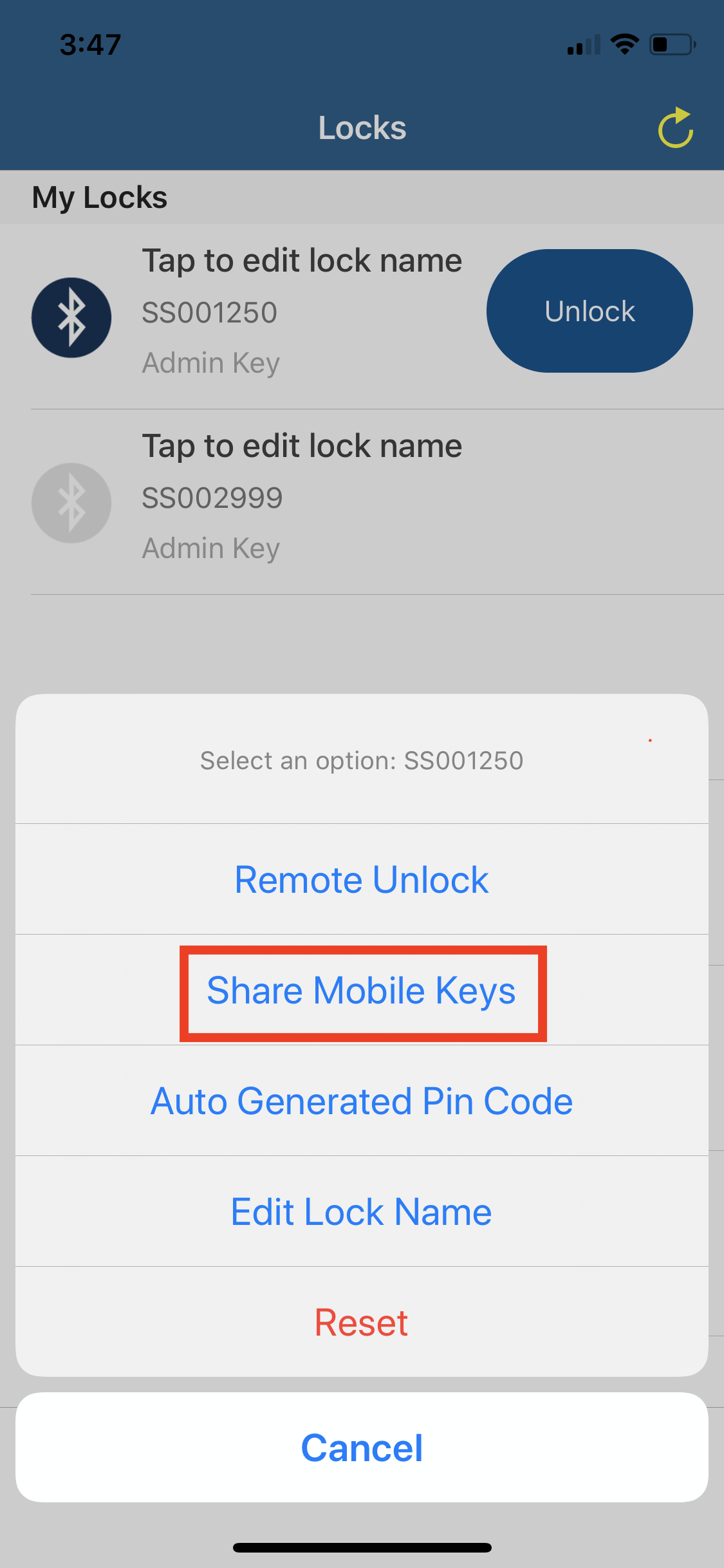
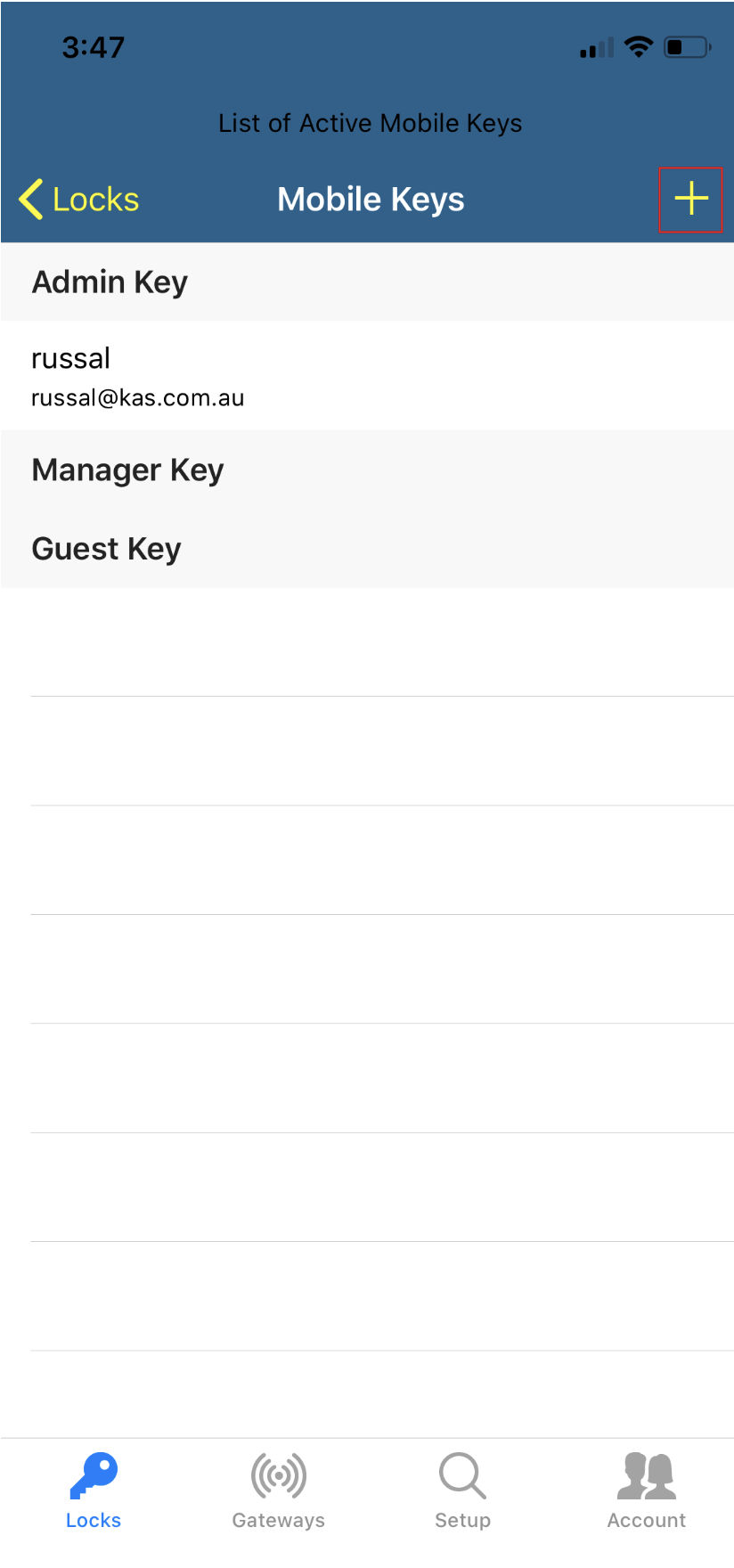
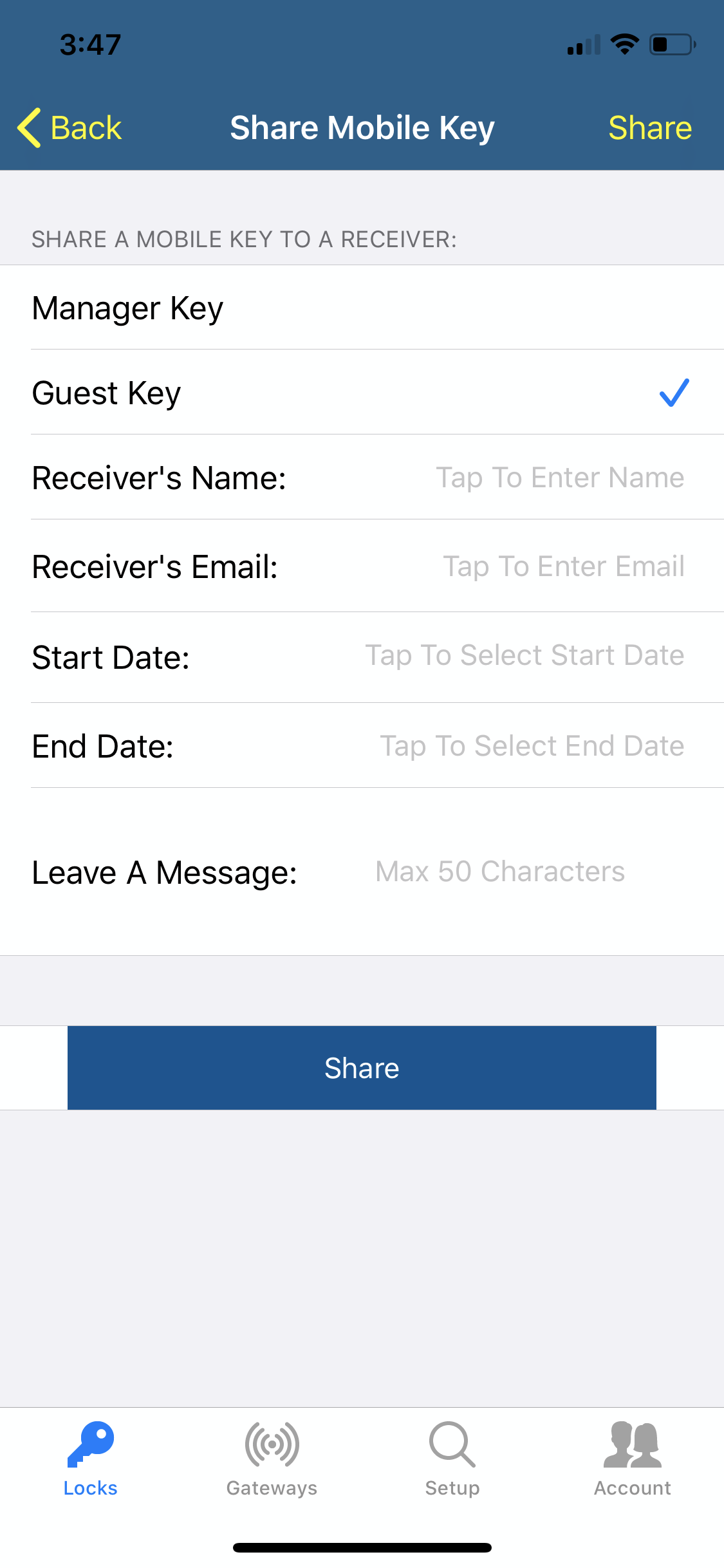


4. Now your Guest need to download and install the App and retrieve the key using their email


Please Note: There is no editing option to the mobile keys in the mobile App, In order to extend the mobile key you would need to delete the previous key first and then you would need to send the mobile key again with the new check in and check out ...
This means that the lock has not been initialized to the cloud console mode at the time of setup. You will need to reset the lock and re-setup the lock to your app Reset Instructions Please Click here for resetting your device.
Setup and Configuration To access the KAS Cloud Web Console you need to have the app and set up the hardware. (Skip if completed) Click here if you have not done this already Using the KAS Cloud Web console requires gateways Login Page Click on the ...